Google Gemini Floating Bubble Multitasking: What It Means for Android AI Workflows
Published by AINave Editorial • Reviewed by Ramit
Google Gemini on Android now collapses into a floating bubble when you tap the Minimize button, letting you switch to other apps while the AI continues processing complex prompts. The feature began rolling out on September 4 and turns Gemini from a full-screen overlay into a persistent, movable bubble that you can expand, drag, or dismiss.
Gemini's overlay now shrinks to a floating bubble
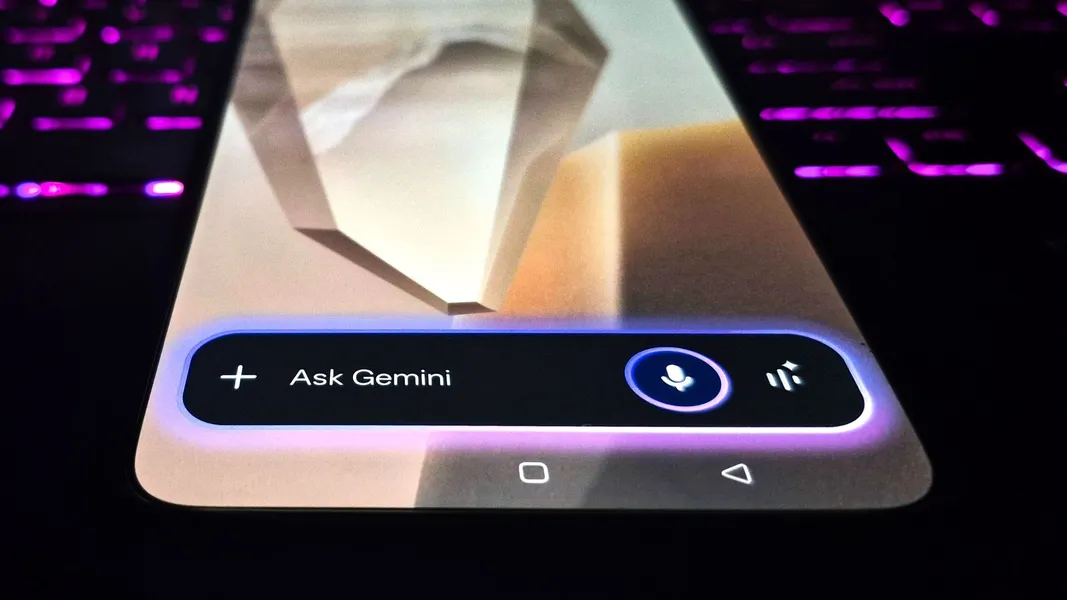
Previously, the Gemini overlay occupied a large portion of the screen and blocked multitasking. Now, a Minimize button appears above the pill-shaped Gemini bar. Tapping it reduces the assistant to a small bubble with a message: "Gemini is still available while you multitask. Tap to expand. Drag to move or dismiss." Users can tap the bubble to reopen the chat, drag it to reposition, or swipe it away to close. Two Telegram posts have demonstrated the feature in action.
A design pattern for persistent, non-blocking AI assistants
For AI builders, this update is more than a convenience feature. It signals a shift toward on-device AI that operates as a background service rather than a modal interruption. The floating bubble pattern allows Gemini to handle multi-step tasks (like summarizing articles or composing emails) while users freely navigate other apps. This design could influence how developers embed AI copilots into mobile experiences, especially for workflows that require cross-app context. The feature builds on an earlier beta called "screen automation" that handled multi-step tasks within specific apps.
Which devices get it and how to use it
The feature is rolling out to Pixel 10, Pixel 10 Pro, Pixel 10 Pro XL, Samsung Galaxy S26 Series, Z Flip 8, and Z Fold 8. To use it, simply tap the Minimize button while Gemini is responding. The bubble persists across apps. You can expand it to continue the conversation, drag it out of the way, or dismiss it entirely. Availability may depend on your device model and software update channel.
Rollout limitations and unknowns
The rollout is ongoing, and not all Android devices may see the feature immediately. The initial device list is limited to recent flagship models. There is no confirmation about expansion to older devices or other platforms like iOS. The feature was first spotted in Android 17 Beta, suggesting it may require a recent OS version. As with any staged rollout, exact behavior and availability can vary.
This update makes Gemini a more practical daily assistant for Android users who need to stay productive across apps. For builders, it's a clear example of how AI assistants are evolving from blocking overlays to persistent, background-capable tools. The floating bubble pattern is worth studying if you're designing mobile AI experiences that need to coexist with real-world app usage.
FAQs
Sources
- Gemini just got a 'floating bubble' multitasking upgrade that's a game changer on Android phones — here's how to use it
- Gemini Overlay Gains Minimize Floating Bubble - Android Headlines
- Android 17 Beta Adds Floating Gemini Chat Bubble
- Gemini overlay gets bubble minimization, multitasking on Android
- Gemini Overlay Adds Floating Bubble for Multitasking