Parallels Desktop 27 brings OpenGL 4.3 and AI acceleration to Apple Silicon
Published by AINave Editorial • Reviewed by Ramit
Parallels Desktop 27 adds a Metal-based graphics driver with OpenGL 4.3 support for Windows VMs on Apple Silicon and introduces SME2-based AI acceleration on M4+ Macs. For AI builders who develop or test models locally on a Mac, the new SME2 instructions can speed up matrix operations and neural network inference inside Linux or Windows virtual machines, reducing dependence on cloud compute for early prototyping.
Metal-backed OpenGL 4.3 for Windows VMs
The headline feature is a new Metal-based graphics driver that delivers hardware-accelerated OpenGL 4.3 to Windows virtual machines on Apple Silicon. Parallels claims this is unique among Mac virtualization tools today. OpenGL 4.3 is the baseline for many professional Windows applications, so apps like ArcGIS Pro, ZWCAD, and Blender 4.3 can now run in a VM. Parallels reports up to 160% faster OpenGL graphics on M3 and newer Macs, with up to 35% faster 3D rendering in ArcGIS Pro and workflow time reductions of up to 24%.
SME2 AI acceleration on M4+ Macs
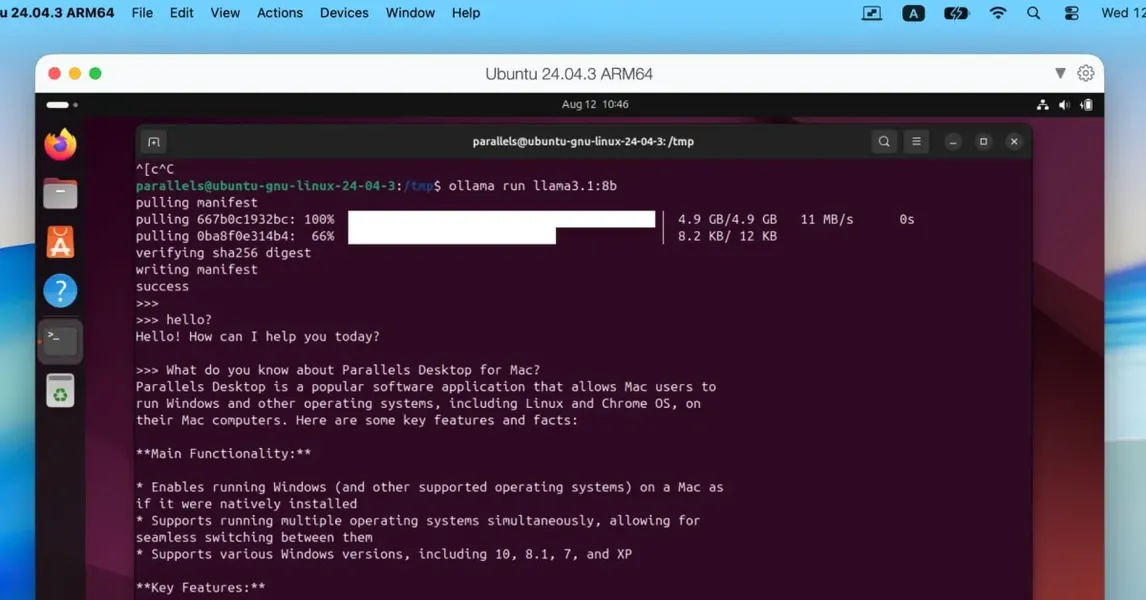
For AI builders, the more relevant upgrade is support for Scalable Matrix Extension (SME2) instructions in Linux and Windows VMs on M4 and newer Macs. Parallels claims up to 7x faster AI and machine learning matrix operations and up to 1.75x faster neural network inference. This directly benefits local AI tools like Ollama and llama.cpp running inside a VM. If you prototype models on a MacBook Pro before pushing to cloud GPUs, this can cut iteration time significantly.
What this means for AI builders
Running AI workloads in a VM on Apple Silicon has always been a trade-off between convenience and performance. SME2 narrows that gap. You can now run Linux-based AI tooling (like Ollama) inside a Parallels VM with near-native matrix acceleration. For indie developers and small teams, this means fewer cloud credits spent on early experiments. The feature requires M4 or later hardware, so if you are on an M1 or M2 Mac, the AI improvements wont apply.
Enterprise deployment at scale
Parallels Desktop for Enterprise also gets a CLI to verify license key versus SSO activation, plus reporting via Jamf extension attributes. SOC 2 compliance has been renewed, and Secure Golden Images Provisioning now supports distributing approved VM images through Azure Blob Storage and SharePoint for zero-touch Windows VMs. For teams that manage fleets of Macs running Windows VMs, this reduces the operational overhead of image distribution and compliance.
Hardware and edition caveats
Not all features apply to every setup. AI speedups via SME2 require an M4 or newer Mac. OpenGL gains are claimed on M3+ hardware. Performance numbers are vendor-reported and may vary by workload and VM configuration. Parallels Desktop 27 is available in Standard, Pro, Business, and Enterprise editions, and some features (like the enterprise CLI and zero-touch deployment) are exclusive to the Enterprise tier. The AI acceleration works in both Linux and Windows VMs, but you need to ensure your guest OS supports SME2 instructions.
FAQs
Sources
- Apple @ Work: Parallels Desktop 27 brings OpenGL 4.3 and AI acceleration to Apple Silicon
- Parallels Desktop 27 brings OpenGL 4.3 and AI acceleration to...
- Apple @ Work: Parallels Desktop 27 brings OpenGL 4.3 and AI...
- Parallels Desktop 27: OpenGL 4.3, Faster AI, macOS 27
- Parallels launches new Desktop 27 for Mac
- Parallels Desktop 27: Windows on Mac Just Got Way Faster
- Parallels Desktop 27 Brings Metal OpenGL 4.3 and 160% Graphics Boost
- Parallels Desktop 27 is Launching Today With OpenGL 4.3 and AI Acceleration Support
- Apple @ Work: Parallels Desktop 27 brings OpenGL 4.3 and AI...