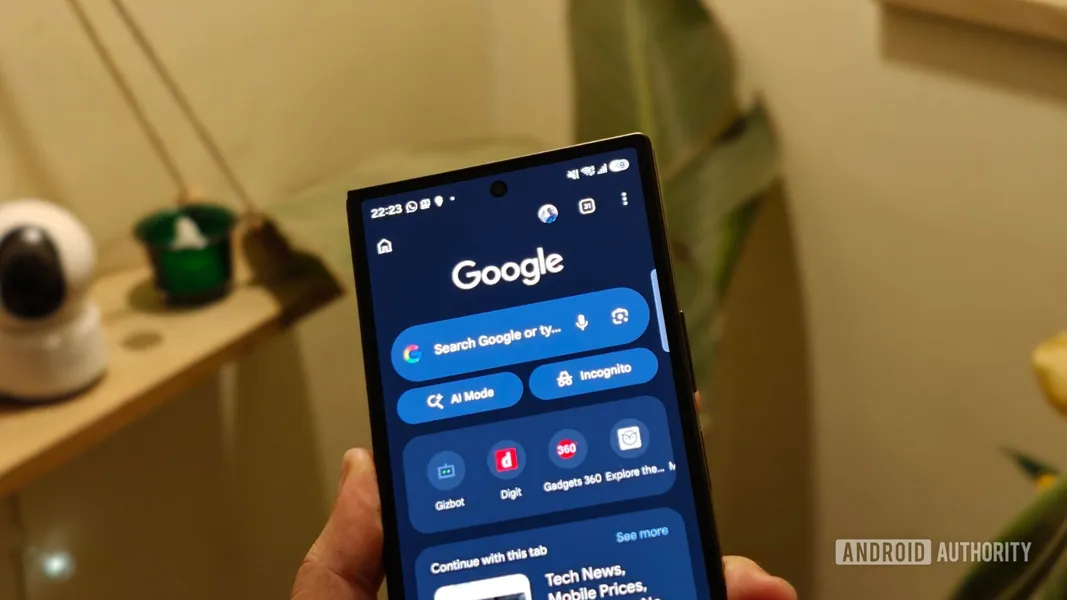
Gemini in Chrome for Android brings AI browsing and Auto Browse to mobile (US, paid tiers)
Published by AINave Editorial • Reviewed by Ramit
Google is rolling out Gemini in Chrome to Android users across the US, bringing the desktop AI assistant experience to mobile. The integration gives Chrome a built-in AI that can summarize long articles, answer questions about the page, and pull data from Google apps like Calendar and Keep without switching tabs. For AI Pro and AI Ultra subscribers, the update adds Auto Browse, which lets Gemini handle multi-step web tasks such as comparing hotel prices, making reservations, or completing travel bookings.
Page summaries, Q&A, and cross-app data access
Users can access Gemini by tapping the Gemini icon in the Chrome top bar or finding it in the three-dot menu. Once activated, Gemini can understand the current page and answer questions about it. It can also pull in information from Google apps like Calendar and Keep while you browse, reducing the need to switch between apps. Additionally, Gemini includes Nano Banana for generating or tweaking images directly in the browser.
Auto Browse brings multi-step agentic tasks to mobile Chrome
The standout feature for AI Pro and AI Ultra subscribers is Auto Browse, which lets Gemini work through multi-step web tasks on your behalf. Instead of manually opening hotel listings, comparing prices, checking availability, and moving through booking pages, you can ask Gemini to handle much of that process. It can also compare products, look for better deals, make restaurant reservations, schedule appointments, or help with travel bookings. Auto Browse asks for your approval before completing sensitive actions, and Google says Gemini is designed to recognize known threats such as prompt-injection attacks, where malicious instructions hidden on a webpage attempt to influence the assistant.
What this means for AI builders and mobile automation
This rollout signals that browser-embedded agents are moving to mobile, expanding the surface for task automation. For builders, the key takeaway is that Google is prioritizing controlled automation: Auto Browse requires user approval for sensitive actions, and the assistant includes prompt-injection protection. The feature is currently US-only and gated behind paid subscriptions, which limits initial adoption but provides a clear testbed for how browser-based agents can handle cross-app data access and multi-step workflows. If you are building AI-powered automation tools, this pattern of a browser-embedded agent with permission gating and security guardrails is worth watching.
Caveats: US-only, subscription-gated, and security guardrails
The rollout is limited to the US for now, and enhanced features like Auto Browse require an AI Pro or AI Ultra subscription. The specific minimum Android device or Chrome version requirements are not detailed in the available sources. Security features are described by Google but have not been independently verified. The integration is a consumer-facing feature, but the underlying architecture of a browser agent with cross-app data access and user approval steps is relevant for anyone building AI-powered automation. For now, it is not a general-purpose agent, but it is a clear step toward that direction.
Sources
- Android users just got one of Chrome's biggest Gemini upgrades
- Google News - Gemini in Chrome launches for all Android users in...
- Android users just got one of Chrome’s biggest Gemini upgrades
- Your Android phone is getting agentic powers with Gemini... | ZDNET
- Gemini's browsing takeover is rolling out in Chrome for Android
- 5 huge Android 17 upgrades are coming this year — Here are the best new features...
- Gemini may have just had its biggest month of updates yet — here's everything yo...
- Gemini 3 in Chrome just made AI browsers pointless — even ChatGPT Atlas
- Gemini Wants To Take Over Your Android Phone
- Perplexity's Comet lands on Android - can it crush Chrome? How to try it
- Chrome gets new Gemini 3 features, including auto browse
- New Gemini Update Gives Users More Reason To Ditch Chrome On Android
- UK users just got Google Gemini in Chrome – adding these 5 key upgrades
- Google’s Biggest Announcements of 2026: Gemini, Android 17, and More
- Waze vs. Google Maps: I compared the two best navigation apps, and there's a...