Adobe Firefly Audio Tools Reach General Availability: What AI Builders Should Know
Published by AINave Editorial • Reviewed by Ramit
Adobe's Firefly audio generation tools have exited beta and are now generally available, giving creators and developers a way to generate licensed music, speech, and sound effects directly within the Creative Cloud ecosystem. For AI builders building video or audio workflows, the key takeaway is that Adobe is positioning Firefly as a commercially safe alternative to generic AI audio generators, with a free tier and integration across Photoshop, Premiere, and more.
What the Firefly Audio Tools Actually Do
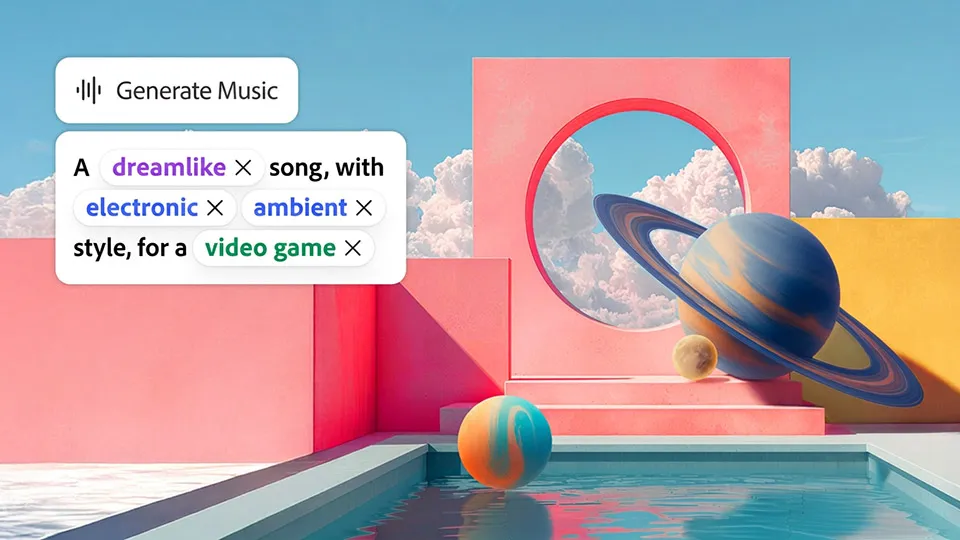
Firefly now includes three audio generation features. Generate Music creates original, fully licensed tracks tailored to a video's length and mood. Generate Speech turns scripts into natural voiceovers using Adobe's own speech model or ElevenLabs. Generate Sound Effects produces custom sounds that match the action, timing, and energy of a scene. All three were introduced in 2025 and have been in beta until now.
Why Commercial Licensing Matters for Builders
Adobe's main differentiator is that Firefly outputs are commercially safe and fully licensed for commercial use. That matters for any team shipping client work or products that include AI-generated audio. Adobe cited a survey with Berklee College of Music showing nearly 80% of creators post video daily and a third already use AI-generated music in final work. The licensing assurance removes a major legal bottleneck that generic AI music tools often carry.
Free Firefly Assistant Tier and Third-Party Model Access
Adobe also expanded access to the Firefly AI Assistant, which orchestrates multi-step workflows across Creative Cloud apps. Previously limited to paid plans, there is now a limited free experience for free Adobe accounts, though the number of daily generations is undisclosed. The assistant can handle tasks like creating brand kits, storyboards, and first-cut videos.
Firefly also acts as a hub for third-party models. Alongside Adobe's own models, it supports Kling AI, Luma AI, OpenAI, Runway, Black Forest Labs, Ideogram, Moonvalley, Topaz Labs, Google, and others. The latest addition is Gemini Omni Flash, a multimodal model for high-end video and audio generation. Outside Firefly, Gemini Omni Flash is priced at ten cents per second of video output. Inside Firefly, it's included in the subscription, but the pricing model for heavy usage is not detailed.
Caveats and What's Still Unclear
The free tier's daily generation limit is undisclosed, so heavy users will likely need a paid Firefly plan starting at $9.99 per month. The commercial licensing claim is Adobe's own assertion and hasn't been independently tested in court. Gemini Omni Flash pricing at $0.10/second is for direct API use, not necessarily the cost within Firefly's subscription. Model availability and partner integrations may change over time.
FAQs
Sources
- Adobe Firefly's Audio Tools Reach General Availability
- Adobe's Firefly Audio Tools Exit Beta
- Adobe Firefly expands its creative AI studio: generate music ...
- Adobe Firefly Audio Tools Are Now Generally Available
- Adobe Makes Firefly Audio Tools Generally Available
- Adobe Firefly’s music, voiceover, and sound effects ...
- Adobe Firefly Now Generates Production-Quality Music, Speech, and Sound Effects
- Adobe's New AI Is All About Audio. How to Create Music for Your Videos with Firefly
- Adobe debuts ‘Prompt to Edit’ and music tools as its next big AI features
- Adobe Firefly makes content creation fun, accessible and safe
- Adobe adds agentic AI assistant and new editing tools to Firefly Video Editor
- Adobe Firefly FAQ
- Adobe Firefly - Free Generative AI for Creatives
- Adobe’s new AI audio tools can add soundtracks and voice-overs to videos
- Adobe Firefly Improves AI Video Creation With New Tools, Models And Unlimited Generations
- Adobe’s New AI Is All About Audio. How to Create Music for Your Videos with Firefly