OpenClaw Android app turns your phone into a remote for self-hosted AI agents
Published by AINave Editorial • Reviewed by Ramit
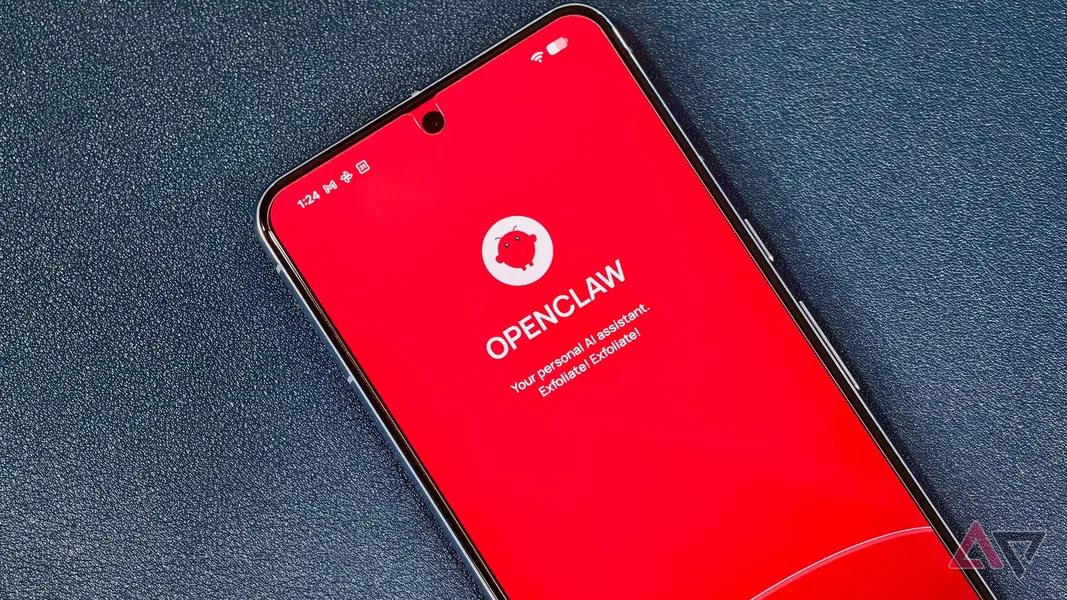
The OpenClaw Android app and its iOS counterpart let you control a self-hosted AI agent from your phone without running the model on the device itself. Instead, you connect to a gateway running on a Mac, PC, or Linux machine through a QR code or setup code pairing process.
What happened
OpenClaw released native mobile apps for Android (requires Android 12+) and iOS (requires iOS 18+). The apps connect to a self-hosted gateway that runs the OpenClaw agent on your own hardware or a cloud server. Pairing takes a few minutes through QR code scanning or entering a setup code.
Once paired, you can chat with the agent directly or switch to Talk mode for real-time voice conversations. The app also lets you approve or reject agent actions and receive push notifications when the agent triggers an action or completes a task. You can grant optional permissions for device features like camera, microphone, location, photos, and calendar.
Why AI builders should care
This launch matters for anyone deploying self-hosted AI agents in production or personal workflows. The OpenClaw mobile app does not run the AI model on the phone; it acts as a remote control for a gateway-hosted agent. That architecture preserves data privacy since the agent stays on your hardware, and users can choose whether to grant device permissions on a per-feature basis.
For builders, the open-source nature of OpenClaw means you can inspect how the app communicates with the gateway, customize the integration, or self-host everything for security-sensitive use cases. Mobile clients turn a previously desktop-bound agent into a portable interaction channel without compromising your deployment model.
Practical implications
The pairing flow is straightforward: scan a QR code or enter a setup code, and the phone connects to the existing gateway. After that, users can monitor and govern agent workflows on the go via push notifications and action approvals. The device feature permissions are optional and user-gated, so you only enable what your workflows actually need.
The Talk mode adds a natural voice interface layer, making the agent feel more like a conversational assistant than a task queue. This could become the primary daily interaction method for users who rely on OpenClaw agents throughout the day.
Caveats
Early reviews indicate the Android app's UI is rough around the edges, with some criticizing its raw look and broken features in initial builds. The iOS app appears more polished and lists itself as collecting no user data. The app's value depends entirely on the stability and performance of the underlying gateway and agent, which may require ongoing evolution. If you are evaluating this for production use, test the pairing and notification flows with your specific deployment before relying on it.
FAQs
What is OpenClaw and how does its Android app connect to a deployed AI agent?
OpenClaw is an open-source AI agent platform that runs locally on your own hardware through a self-hosted gateway. The Android app connects to that gateway via QR code or setup code to enable control and chat with the deployed agent.
How do I pair my phone with the OpenClaw gateway using a QR code or setup code?
Pairing is accomplished by scanning a QR code or entering a setup code through the app. Once paired, you can chat with the agent or use Talk mode for real-time voice conversations.
What permissions does the OpenClaw Android app request and why?
The app requests access to device features such as camera, microphone, location, photos, and calendar, all with user consent. These permissions support task execution and context sharing for agent workflows.
Can the OpenClaw mobile app run the AI agent on my phone or only control a remote agent?
The mobile app does not run the AI agent on the phone. It enables talking to and controlling a gateway-hosted agent running on a PC, Mac, Linux machine, or cloud server.
Sources
- Your AI agent just got a lot more accessible with OpenClaw's new Android app
- OpenClaw lands on Android and iOS, turning your phone into a control hub for your AI agent
- OpenClaw now has native mobile apps on iOS and Android - Neowin
- OpenClaw — Personal AI Assistant
- Open Source AI Agent OpenClaw Gets Native iOS App - MacRumors
- OpenClaw - Open Source Personal AI Assistant for WhatsApp...
- OpenClaw Personal AI Assistant| AI Agent for all your tasks
- How Microsoft is bringing OpenClaw to the masses
- How to automate workflows using open-source AI agents
- Microsoft’s Project Solara is an Android OS designed for agents instead of apps
- Notion just turned its workspace into a hub for AI agents
- Demis Hassabis isn’t shying away from AI’s biggest questions
- OpenClaw, the AI agent platform backed by OpenAI, now has an ...
- Run OpenClaw AI Gateway Directly on Android (No Root, One-Tap Setup)
- A Practical Guide to Securely Setting Up OpenClaw. I Replaced 6+ Apps ...
- Google is building an AI agent that could be its answer to OpenClaw