Google Pics Brings AI Image Editing Directly Into Docs and Slides
Published by AINave Editorial • Reviewed by Ramit
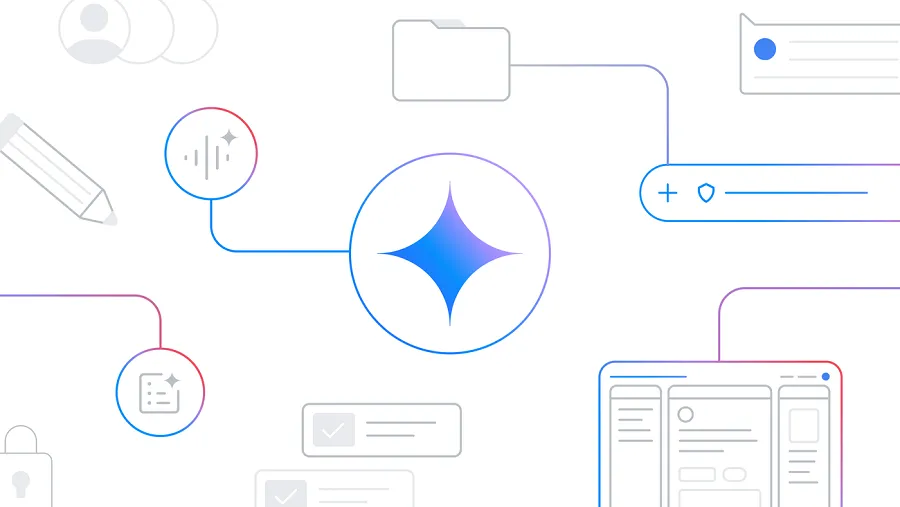
Google launched Google Pics, an AI-powered image generator and editor built directly into Google Workspace. Powered by Google's Nano Banana model, it lets you create and edit images without leaving Docs or Slides. For teams that already live in Workspace, this could reduce the back-and-forth with external tools like Canva or Photoshop.
What Google Pics Actually Does
Google Pics is more than a simple image generator. You can generate multiple visual variations from a text prompt, upload images from your computer, Drive, or Photos, and then perform object-level edits. That includes isolating objects, making specific changes, and editing or translating in-image text into 29 languages without altering the rest of the image. The editor also supports cropping for different formats and upscaling images to 2K or 4K resolution.
The key integration is that Pics opens as an overlay inside Google Docs and Google Slides. Click an existing image, and the editor appears without forcing you to export, edit elsewhere, and re-import. Drive integration is coming in the following weeks.
Why This Matters for Teams Building on Workspace
For product teams, content creators, and internal tool builders who rely on Google Workspace, this changes the workflow. Instead of switching to a separate design tool for every image tweak, you can edit directly in the document. That matters for slide decks, internal docs, and client-facing materials where speed and consistency are more important than pixel-perfect design.
The underlying model, Nano Banana, is Google's own image generation model. Google is positioning Pics as a Canva-style tool where you prompt instead of design. For builders, this means the AI editing capability is now a native part of the productivity suite, not a separate subscription or integration.
Practical Implications: Workflow and Access
The biggest practical change is reduced context switching. If your team creates presentations or documents with custom images, Pics lets you generate, edit, and place images in one flow. The object-level editing and text translation are particularly useful for multilingual teams or global content.
Access is tiered. Google Pics rolled out first to Google AI Pro and Ultra subscribers and most paid Workspace customers (Business Standard, Business Plus, Enterprise Standard, Enterprise Plus). Free accounts and Workspace Business Starter are excluded. If your team is on a qualifying plan, you can start using it immediately. If not, you'll need to upgrade or wait for broader availability.
What's Still Unclear
Several details remain unconfirmed. The exact rollout timeline for all regions and account types is not specified. Drive integration is promised but not yet live. It's also unclear whether all features (like 4K upscaling or all 29 translation languages) are available from day one or will roll out gradually. Google has not disclosed pricing beyond the existing plan tiers, so there is no separate Pics subscription cost to evaluate.
For now, the practical takeaway is clear: if your team uses paid Workspace and needs quick AI image editing, Pics is worth testing. It won't replace dedicated design tools for complex work, but it removes friction for everyday image tasks.
FAQs
Sources
- Google Launches Pics, a Canva-Style AI Editor Built Into Docs and Slides
- Google Launches Pics, a Canva-Style AI Editor Built Into Docs and Slides
- Google Launches Pics, a Canva-Style AI Editor Built Into Docs and ...
- Google Pics: Workspace's New AI Image Editor Explained
- Google Pics, the AI Image Editing Tool Built Into Workspace
- Google Launches Pics, a Canva-Style AI Editor Built Into Docs and ...
- Google is quietly building an AI version of Canva inside Workspace
- Google Pics Launches Broadly to Challenge Canva: Edit, Translate, and Upscale Images with AI
- Google Pics Brings Smart AI Image Editing to Docs and Slides
- Google Launches Pics, an AI Image Creation and Editing Tool for Workspace
- Google rolls out its Pics AI image editor to AI Pro & Ultra subscribers; a new Canva rival | AlternativeTo
- Google Pics launches, the AI image editor taking on Canva inside Workspace
- Google Pics Launches Broadly to Challenge Canva: Edit, Translate, and Upscale Images with AI
- Google Pics Launched To Compete With Canva: Features And What's Different | Tech News - News18
- Google's answer to Canva is an AI tool where you prompt instead of design | TechCrunch
- Google Pics is a Canva rival, and it's now available for all