PC Insights: How Copilot Windows analyzes your PC settings now
Published by AINave Editorial • Reviewed by Ramit
Microsoft is rolling out a new skill for the Copilot Windows app called PC Insights that lets users ask questions about their Windows environment and get AI-generated explanations based on live system data. For AI builders, this feature is a practical example of how to design permission-gated system analysis tools that prioritize transparency over automation.
What happened
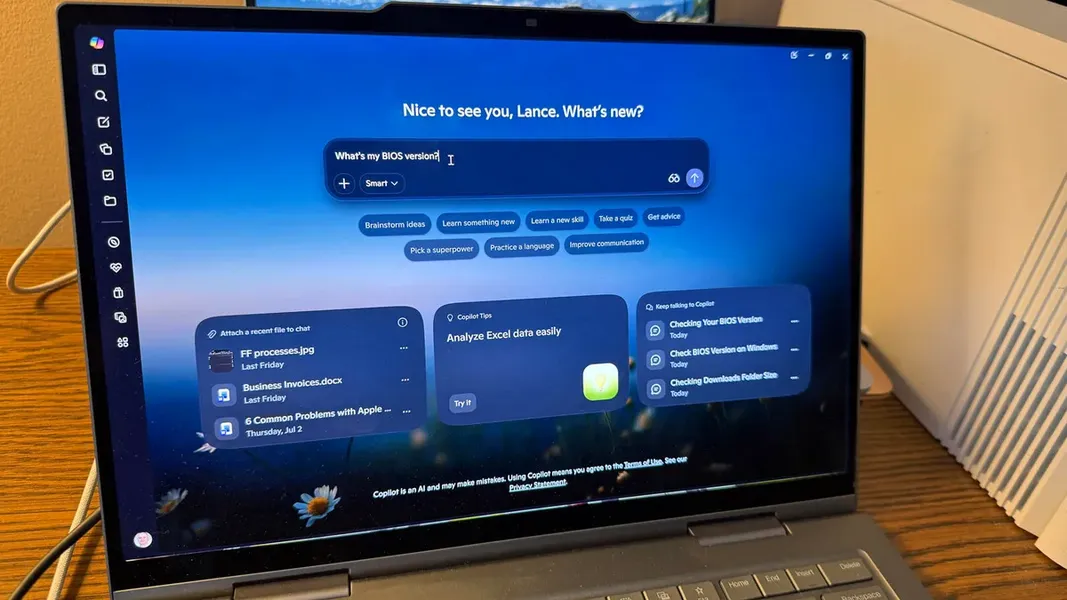
PC Insights is a new skill inside the Copilot Windows app that can answer questions about your hardware, software, and settings. Instead of manually digging through system menus, users can ask Copilot questions like "Why is my PC slow?" or "What graphics card do I have?" and receive an explanation based on the data it accesses.
The feature works by fetching only the specific system information needed to answer a query. Microsoft states that Copilot will not store or use personal files to train its AI models, and users can revoke permissions at any time through Copilot's privacy settings.
Why AI builders should care
PC Insights demonstrates a permission model that AI builders should study when designing system-analysis agents. When you ask a question, Copilot prompts you to grant access. You can choose to allow it for a single request, always allow it for similar requests, or deny it for the session. A session lasts until you close the app or restart your computer.
This granular approach to data access is a template for building trust in AI tools that need to read local system state. The feature also shows how to handle the tension between usefulness and privacy: it reads data but promises not to train on it.
Practical implications
PC Insights can describe system information, clarify technical details, and explain what's happening on your PC. But it has a hard limit: it cannot fix issues or automatically run troubleshooting steps. Once the AI identifies a problem, you still have to resolve it manually.
For AI builders, this is a deliberate design choice. By keeping the agent in read-only mode, Microsoft avoids the complexity and liability of making system changes. If you are building a similar tool, this constraint simplifies permission handling and reduces risk.
Caveats
The rollout is underway but not yet universal. The ZDNET reporter checked the Copilot Windows app on a main Windows 11 laptop and two virtual machines, and the skill had not arrived on any of them. Availability may vary by device and region.
Also, while Microsoft promises that personal files are not used for AI training, the feature still requires users to trust that promise. Builders should note that permission revocation is available but requires users to navigate to Copilot's privacy settings rather than being a one-click toggle in the app.
Finally, PC Insights is a diagnostic read-only tool. If you are building an agent that needs to act on system data, you will need a different permission model and a more complex execution pipeline.
FAQs
Sources
- Windows questions? How Copilot can analyze your PC settings now
- Ask Copilot why your PC is slow. It might actually have... | PCWorld
- Windows 11 Copilot Now Tells You Whats Slowing Dow
- Ditch the Controller, Grab Your Mouse: How AI Changes... | Medium
- Microsoft Copilot: ваш ИИ-помощник
- Microsoft's Push Into Agentic AI Begins With 'Hey Copilot' Voice Assistant in Windows 11
- Microsoft launches Copilot Vision for Windows 11 and 'Hey Copilot' voice activation0 0
- Copilot Chat: Your hub for document creation and analysis
- Copilot quietly grabs your data from other Microsoft products now - here's how to opt out
- Windows 11 AI agents will act on your behalf - how much can you trust them?
- How Copilot understands your workspace
- Your Windows 11 PC can now natively run AI workloads, even if it lacks the Copilot+ badge
- Did Microsoft's Copilot ad just prove AI isn't ready for your PC settings?
- Windows 11 is packed with AI now. Here’s how to take back control
- AI-powered features begin creeping deeper into the bedrock of Windows 11