Claude browser extension goes cross-device with Claude Cowork, adds in-browser actions and safety checks
Published by AINave Editorial • Reviewed by Ramit
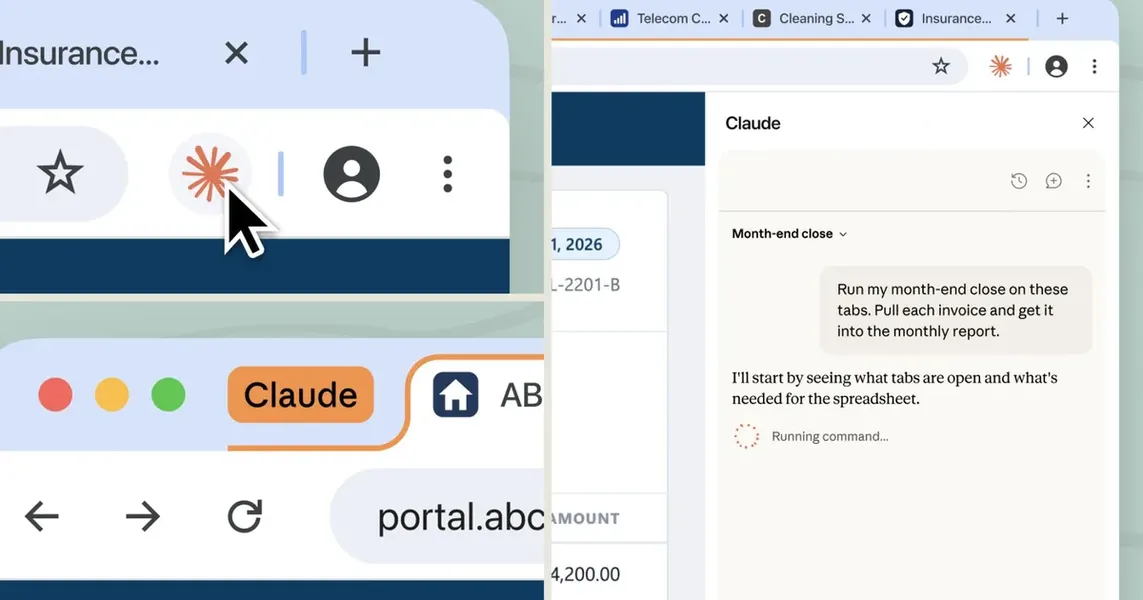
Anthropic's Claude browser extension is no longer a simple side panel. It now operates as a full Claude Cowork session that carries conversations, skills, and connectors across Chrome, desktop, web, and mobile apps. For builders, this means Claude can see the current page, click links, fill forms, and navigate using existing logins, all while maintaining session state across devices.
Claude Cowork now spans devices and browsers
Before this update, browser sessions stayed isolated. Switching from Chrome to the desktop app meant starting over. Now sessions are tied to your account, so a task like building a budget spreadsheet from invoices across multiple vendor sites can be started in Chrome and resumed later on the desktop app with local files added. This cross-device memory is a practical improvement for anyone running multi-step workflows that span web tools and local documents.
In-browser actions for legacy systems and portals
Claude in Chrome can now take real actions inside the page you are viewing: clicking links, typing text, filling out forms, and moving between pages using your existing logins. That is especially useful for internal dashboards, legacy systems, or vendor portals that never connect directly to Claude via API. Instead of building custom integrations, you can let Claude interact with those tools through the browser itself.
Anthropic also added a separate in-app browser for Claude Code that lets it read documentation without leaving the coding environment. That reduces context switching for developers who need to reference docs while working in the terminal.
Prompt injection safeguards and action review
Letting an AI agent act inside your browser introduces real security risks, especially prompt injection where hidden instructions in a webpage can redirect the agent. Anthropic added a new action-review check that evaluates consequential actions (like submitting a form or sending a message) against your original request before execution. Claude will still ask for permission before making purchases or sharing personal information. This is a meaningful safeguard, though the effectiveness will depend on how well the review catches adversarial inputs.
Rollout and enterprise controls
The update is live now for Max and Team plans, with Pro access rolling out in the coming weeks. Enterprise admins can enable Claude by domain for selective control within their organization. If you are on a Pro plan, you will need to wait a bit, but the cross-device memory and in-browser actions are worth planning for now.