
Wisegrid
Work management on a spreadsheet you already know
About Wisegrid
Wisegrid: Spreadsheet-Native Work Management
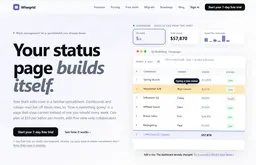
Wisegrid is a spreadsheet-native work management platform for project-driven businesses that need more structure, automation, and visibility without giving up the familiar grid experience
Many teams rely on Excel, Google Sheets, or Smartsheet to manage projects, schedules, budgets, requests, approvals, and reporting. As operations grow, information becomes scattered, updates remain manual, and maintaining a reliable view of progress becomes difficult
What Wisegrid does
AINave analysisTrack and manage project work, approvals and reporting in spreadsheet-style grids that also feed dashboards and status reports.
- Best for
- Project-driven business teamsOperations teamsTeams that manage work in spreadsheets
- Use it to
- Tracking project schedules, budgets and status in shared grids
- Running multi-step approvals and notifications on row changes
- Building live dashboards and summary reports from sheet data
- Collecting requests through multi-page forms that write to rows
- Migrating existing spreadsheets from Excel or other work tools
- Classifying or extracting data in cells with AI formulas

Show you're on AINave
Add the badge to Wisegrid's site. It links back to this page.
Alternatives to Wisegrid
See all 15 alternatives- 1
 RowflareSame job
Open-source Airtable alternative on your own Cloudflare
Pick it if you want a spreadsheet-style base you can self-host on your own Cloudflare account, with a free tier, an API and direct import from Airtable.
- 2
 mastersheets.ai
Track Your Entire Business in One Place For Complete visibility.
Pick it if you need role-based access, automated approval routing and audit trails for custom internal data systems, and a web-only platform is acceptable.
- 3
 Context
 is an AI office suite that fully automates presentation, document, and spreadsheet creation.
Pick it if you want AI-assisted drafting, presentations and spreadsheets together with team chat, meetings and shared project search in one web workspace.