
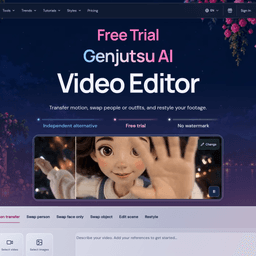
Genjutsu AI
Edit outfits, objects, or scenes in existing videos.
About Genjutsu AI
What Genjutsu AI does
AINave analysisEdit outfits, objects, or scenes in existing video clips using text prompts, without reshooting the footage.
- Best for
- Content creatorsVideo editors
- Use it to
- Changing clothing in existing video footage
- Replacing objects within a video clip
- Altering scenes in recorded video
- Generating revised clips without a reshoot

Show you're on AINave
Add the badge to Genjutsu AI's site. It links back to this page.
Alternatives to Genjutsu AI
See all 10 alternatives- 1
 Video to Video AI
Prompt-guided variations of existing short video clips
Pick it if you need to restyle a short clip or swap a character using a reference image, can accept paid pricing, and want 5, 10 or 15 second outputs in 720p or 1080p MP4.
- 2
 Ray 3.2 AI
 Video Generator
Pick it if you need to reframe clips to other aspect ratios or export HDR and EXR frames for post-production, and prefer credit-based pricing without a subscription.
- 3
 Veo AI
: Most Powerful AI Video Generation Model
Pick it if you want text-based image and video edits, including character-consistent changes and video face swaps, with a free tier and pay-as-you-go credits.