
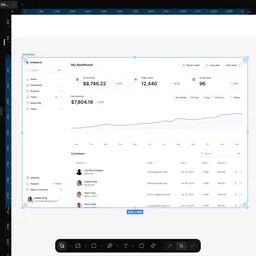
DESIGN OS Studio
Free desktop design editor for .fig files, agent-ready
About DESIGN OS Studio
What DESIGN OS Studio does
AINave analysisOpen, edit and save design files on a local machine, with optional editing by a coding agent.
- Best for
- Product designersDevelopers working with design filesUsers of coding agents
- Use it to
- Editing design files locally without an account
- Letting a coding agent create or change design layers headlessly
- Exporting design files to code for CSS, Tailwind, React and native UI frameworks
- Inspecting design tokens and layout for developer handoff
- Reviewing and reverting agent edits

Show you're on AINave
Add the badge to DESIGN OS Studio's site. It links back to this page.
Alternatives to DESIGN OS Studio
See all 5 alternatives- 1
 Lunacy
Powerful Vector Design Tool with Built-in AI Assets
Claim this listingPick it if you want a desktop vector and UI editor with offline mode, built-in icons and photos, AI image tools, and Figma-to-Sketch conversion.
Covers most of itFreeSimilar price to DESIGN OS StudioView Lunacy - 2
 Kombai
From UI designs to flawless code in seconds! 🎨➡️🖥️
Claim this listingPick it if you want Figma designs turned into React components and CSS that reuse your codebase's components and tokens, and you are willing to pay.
Covers some of itFreemiumCosts more than DESIGN OS StudioView Kombai - 3
 Polymet
Transform Ideas into Prototypes Instantly with Polymet AI!
Claim this listingPick it if you want a free, browser-based tool to generate pages from prompts or images, share live demos, and sync code with GitHub or Storybook.
Covers some of itFreeSimilar price to DESIGN OS StudioView Polymet