
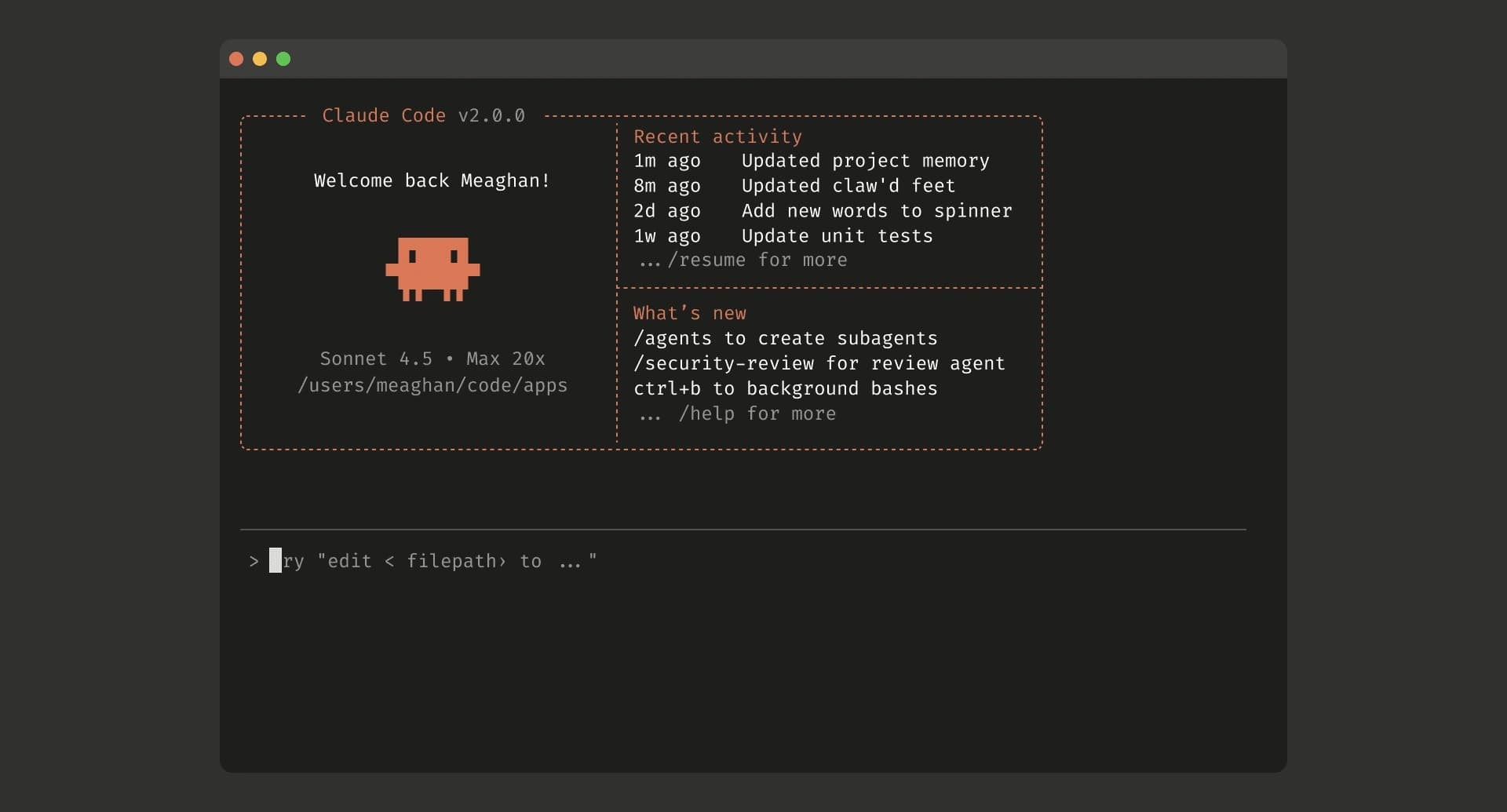
Claude Code is still one of the strongest AI coding agents available in 2026..
It can inspect an unfamiliar codebase, edit multiple files, execute commands, fix tests and continue working through a development task until it reaches a usable result.
It is no longer just a terminal tool either. Claude Code is now available through the terminal, IDE extensions, desktop app and browser.
But Claude Code is not automatically the best choice for every developer.
You may want:
A cheaper coding agent
Access to models outside Anthropic
A visual IDE instead of a terminal
Open-source or local model support
Better GitHub integration
Parallel subagents
More control over model providers
Access to newer coding models from China and other global AI companies
The market has also changed quickly.
ChatGPT Codex is now a complete coding agent across desktop, terminal, IDE and cloud workflows. Grok Build has launched with Grok 4.5, native subagents and aggressive pricing. Google Antigravity has expanded into a complete platform for running multiple autonomous agents.
Chinese companies are no longer releasing only coding models either. Kimi Code, Qwen Code, ZCode and Qoder now provide actual agent harnesses that can understand repositories, edit files and execute commands.
This article compares the best Claude Code alternatives in 2026 based on what they can actually do inside a software project.
It does not treat every autocomplete extension or raw coding model as a direct Claude Code replacement.
Best Claude Code alternatives at a glance
Here are the quick recommendations:
Best overall Claude Code alternative: ChatGPT Codex
Best new cost-efficient alternative: Grok Build
Best open-source Claude Code alternative: OpenCode
Best IDE-first alternative: Cursor
Best for GitHub-based teams: GitHub Copilot CLI
Best Google-powered alternative: Google Antigravity
Best Chinese terminal coding agent: Kimi Code CLI
Best open-source Chinese alternative: Qwen Code
Best GLM-powered alternative: ZCode
Best automation-focused CLI: Qoder CLI
Best enterprise coding agent: Factory Droid
Best opinionated multi-model agent: Amp
Best for controlled execution: Cline
Best lightweight Git-first tool: Aider
Best for maximum model choice: Kilo Code
Pricing and product features change quickly in this market. Check the latest usage limits before choosing a paid plan.
What counts as a real Claude Code alternative?
This is where many comparison articles become confusing.
A strong coding model is not automatically a Claude Code alternative.
Claude Code is a complete coding-agent harness. It combines an AI model with tools that can read your codebase, edit files, execute commands and work across several development systems.
A real alternative should handle most of this workflow:
Read and understand the repository
Search for relevant files and symbols
Plan a solution
Edit multiple files
Run shell commands
Execute tests, builds or linters
Review the result
Continue working after an error
A model such as Muse Spark or DeepSeek may be excellent at writing code, but it still needs a harness such as OpenCode, Cline, Aider or Kilo Code to work directly inside a repository.
The model provides the intelligence.
The harness provides the working environment.
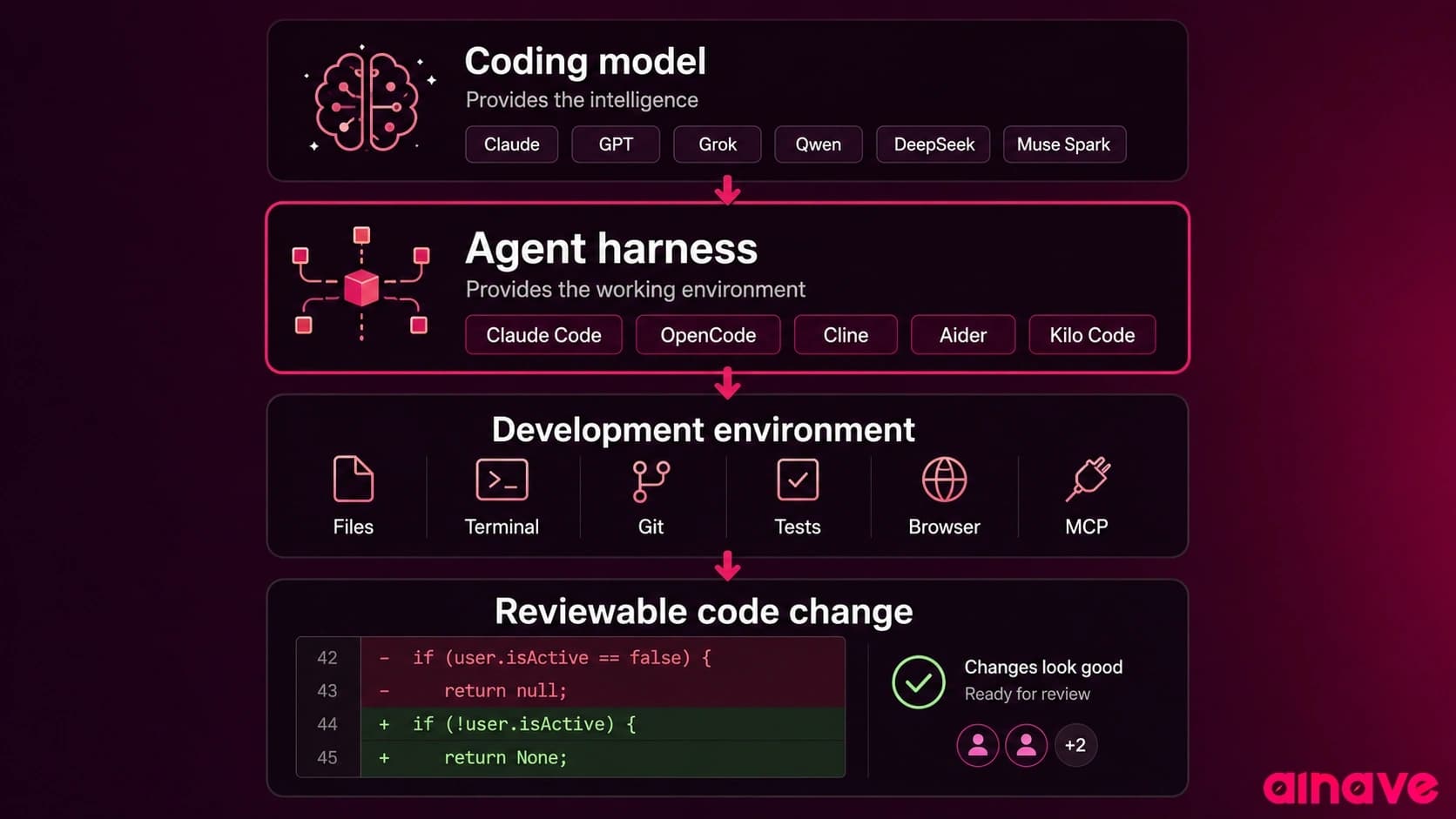
The harness decides:
Which files enter the context
How edits are applied
Which commands can run
Whether actions require approval
How test failures are returned to the model
How Git branches and worktrees are managed
How context is preserved during long tasks
How subagents divide and coordinate work
That is why the same model can perform very differently across two coding agents.
How most coding-agent CLIs work
Open-source and bring-your-own-key coding agents can look complicated from the outside, but the basic setup is usually simple.
1. Install the CLI
Most tools use npm, Homebrew, pip or a native installer.
npm install -g <agent-package>2. Sign in or connect a model
Depending on the tool, you either sign in with an existing subscription or provide an API key for a model provider.
export MODEL_API_KEY="your-api-key"Some tools also support local runtimes such as Ollama.
3. Start the agent inside your repository
cd your-project
<agent-command>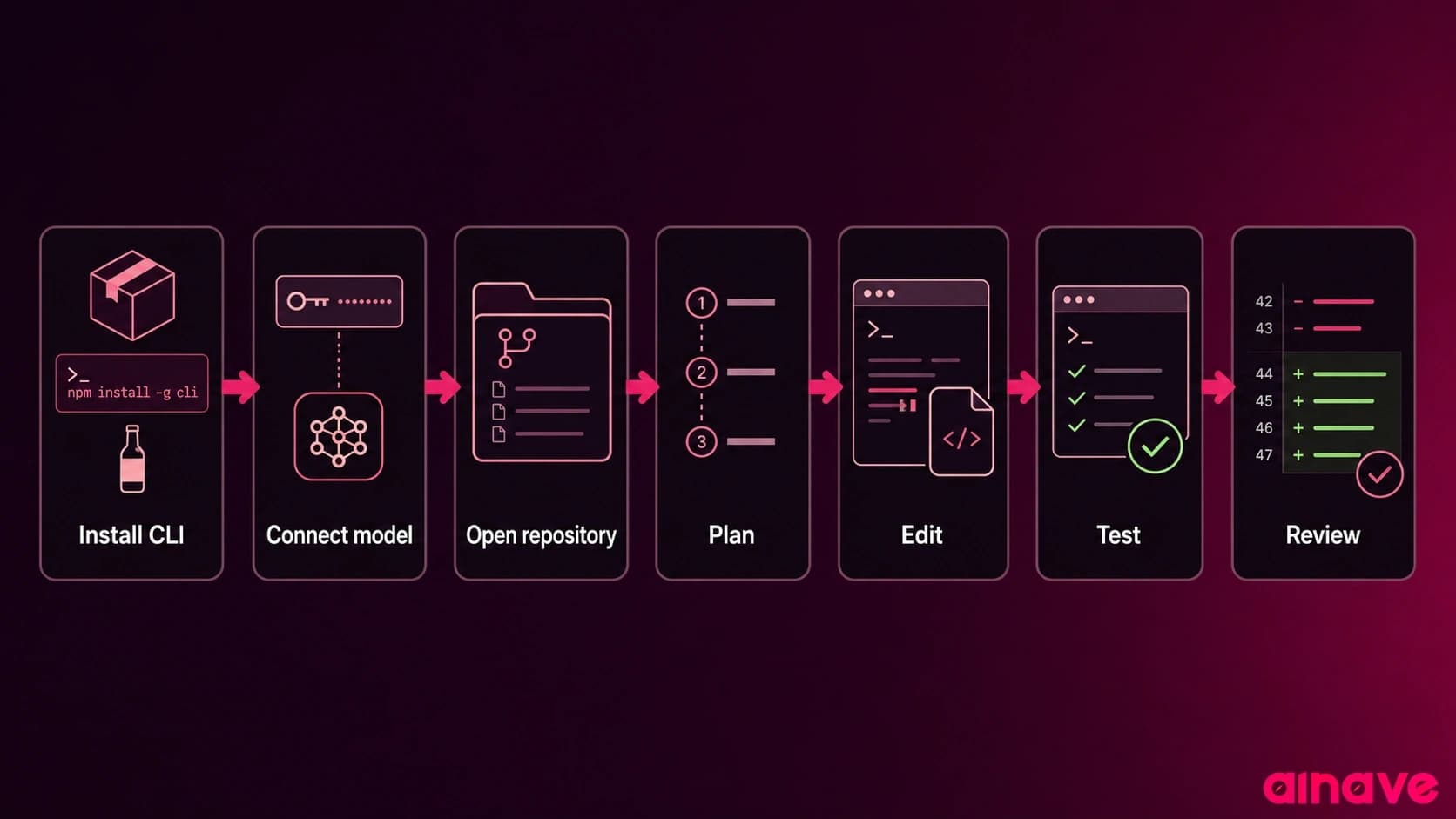
From there, you can ask the agent to explain the repository, fix an issue, add a feature or run tests.
The main differences between tools are not usually the installation steps.
They are the model support, permission system, Git workflow, context handling and level of automation.
How this comparison was researched
This article is based on current official product documentation, release pages, pricing pages and supported workflows.
The tools were compared based on:
Repository understanding
Multi-file editing
Command and test execution
Planning and long-task support
Model flexibility
Local model support
Parallel agents and subagents
Git and pull request workflows
CLI, IDE and cloud availability
Permission controls
Pricing structure
Current maintenance and product activity
Not every tool was tested through one identical benchmark.
That would produce a neat score, but not necessarily a useful answer.
Coding agents behave differently depending on the repository, programming language, test coverage, task definition and model being used.
Vendor benchmark claims are useful signals, but they should not be treated as independent proof. The quality of the harness and the amount of human review required matter just as much as the underlying model score.
1. ChatGPT Codex
Best overall Claude Code alternative
ChatGPT Codex is currently the closest complete alternative to Claude Code.
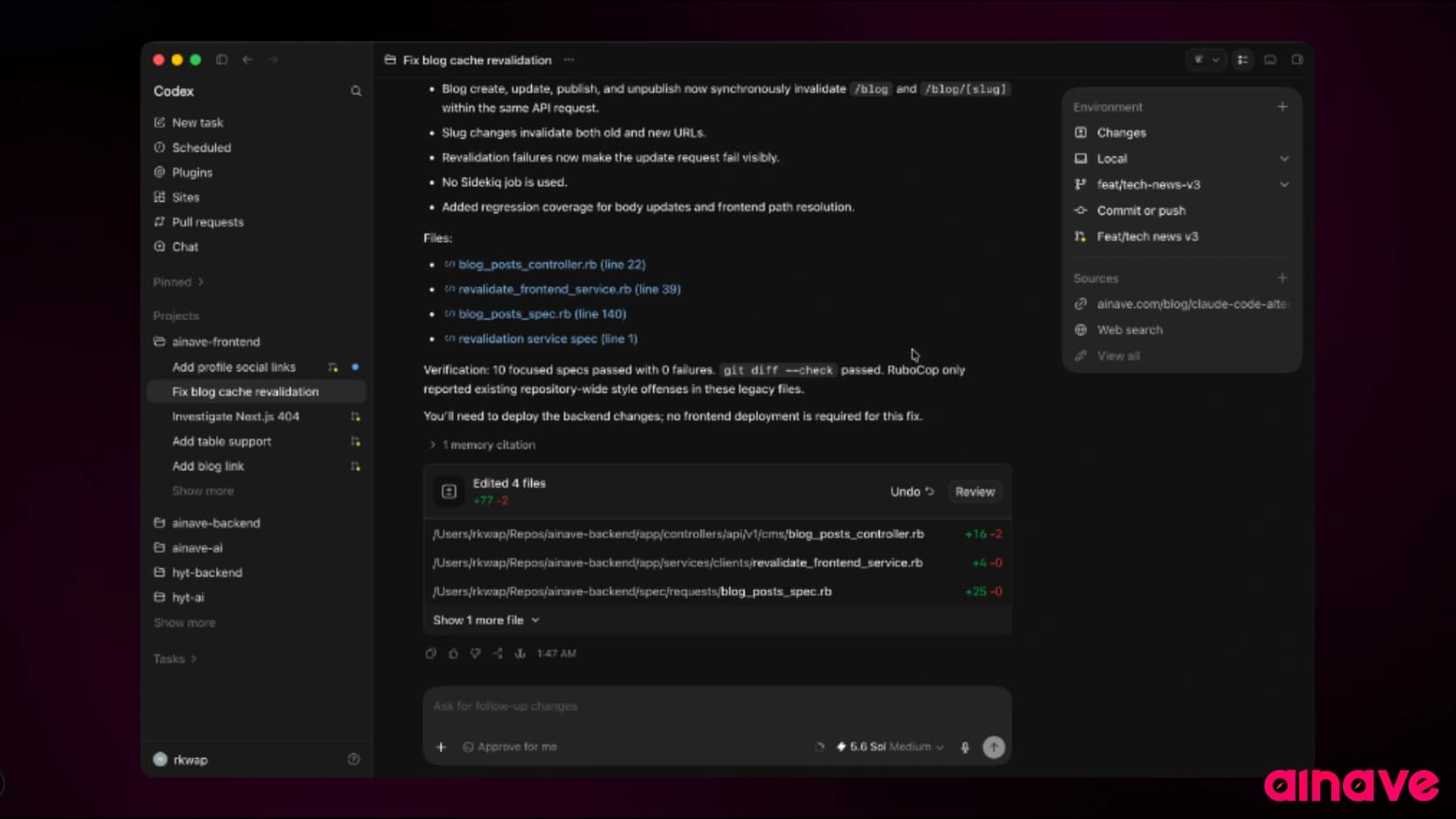
It works through a desktop application, terminal CLI, IDE integrations and cloud environments. Codex can read, edit and execute code, while its desktop app supports parallel threads, worktrees, automations and Git workflows.
This makes it useful in two different ways.
You can use Codex interactively inside your local repository, similar to Claude Code.
You can also delegate a focused task and let Codex complete it inside an isolated environment while you continue working on something else.
Good Codex tasks include:
Fixing a known bug
Implementing a clearly defined issue
Adding tests
Refactoring a module
Updating dependencies
Reviewing a pull request
Running repeated maintenance tasks
Where ChatGPT Codex is better than Claude Code
Strong cloud-based delegation
Parallel agent threads
Built-in worktree support
Desktop, CLI, IDE and cloud access
Automations for repeated tasks
Good fit for developers who already use ChatGPT
Codex is included with eligible ChatGPT plans, including Free, although usage limits depend on the plan.
Where Claude Code is better
Claude Code can feel more natural during a long interactive session where you want to continuously guide one agent.
Codex works especially well when the task has a clear boundary and expected result.
A vague instruction such as “improve this entire application” can still produce a large change that takes more time to review than it saved.
Verdict
Choose ChatGPT Codex if you want the strongest overall Claude Code competitor.
It offers the best balance of local coding, cloud delegation and parallel work.
2. Grok Build
Best new Claude Code alternative for cost-efficient coding
Grok Build is one of the most important recent additions to the Claude Code alternatives market.
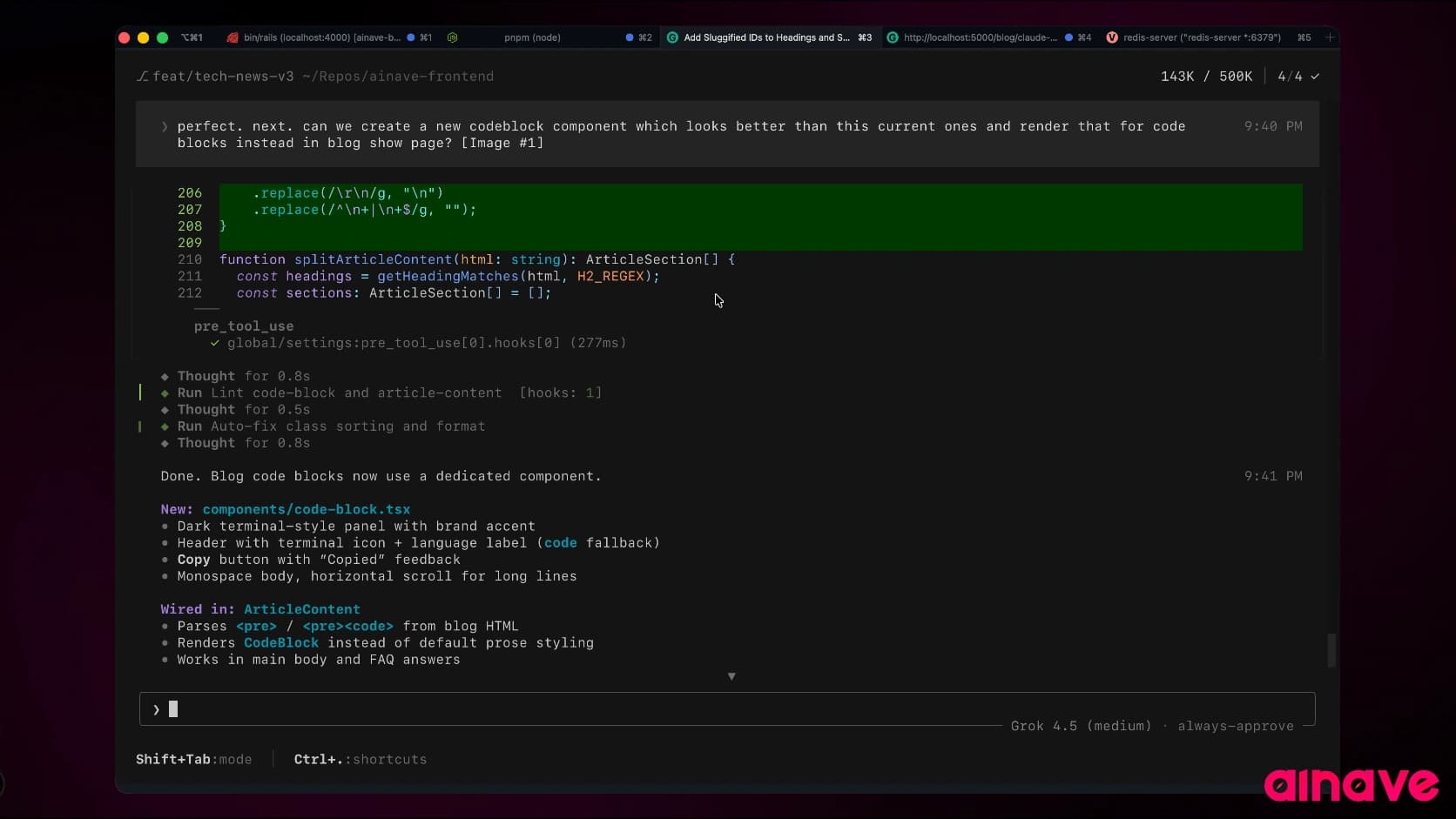
It is a coding agent from xAI that can run through a full-screen terminal interface, headlessly inside scripts or through the Agent Client Protocol in compatible applications. The same Grok 4.5 model that powers Grok Build is also available through the xAI API.
Grok Build supports:
Plan Mode
Parallel subagents
Git worktrees
Multi-file editing
Terminal execution
Web search
Code review
Persistent memory
Skills
Hooks
MCP servers
Headless automation
Its subagent workflow is particularly useful for large tasks. Grok Build can divide research, implementation and review across independent contexts and worktrees.
Where Grok Build is better than Claude Code
Native parallel subagents
Strong worktree support
Headless execution
Full-screen terminal interface
Built-in web search
Flexible custom model support
Competitive model pricing
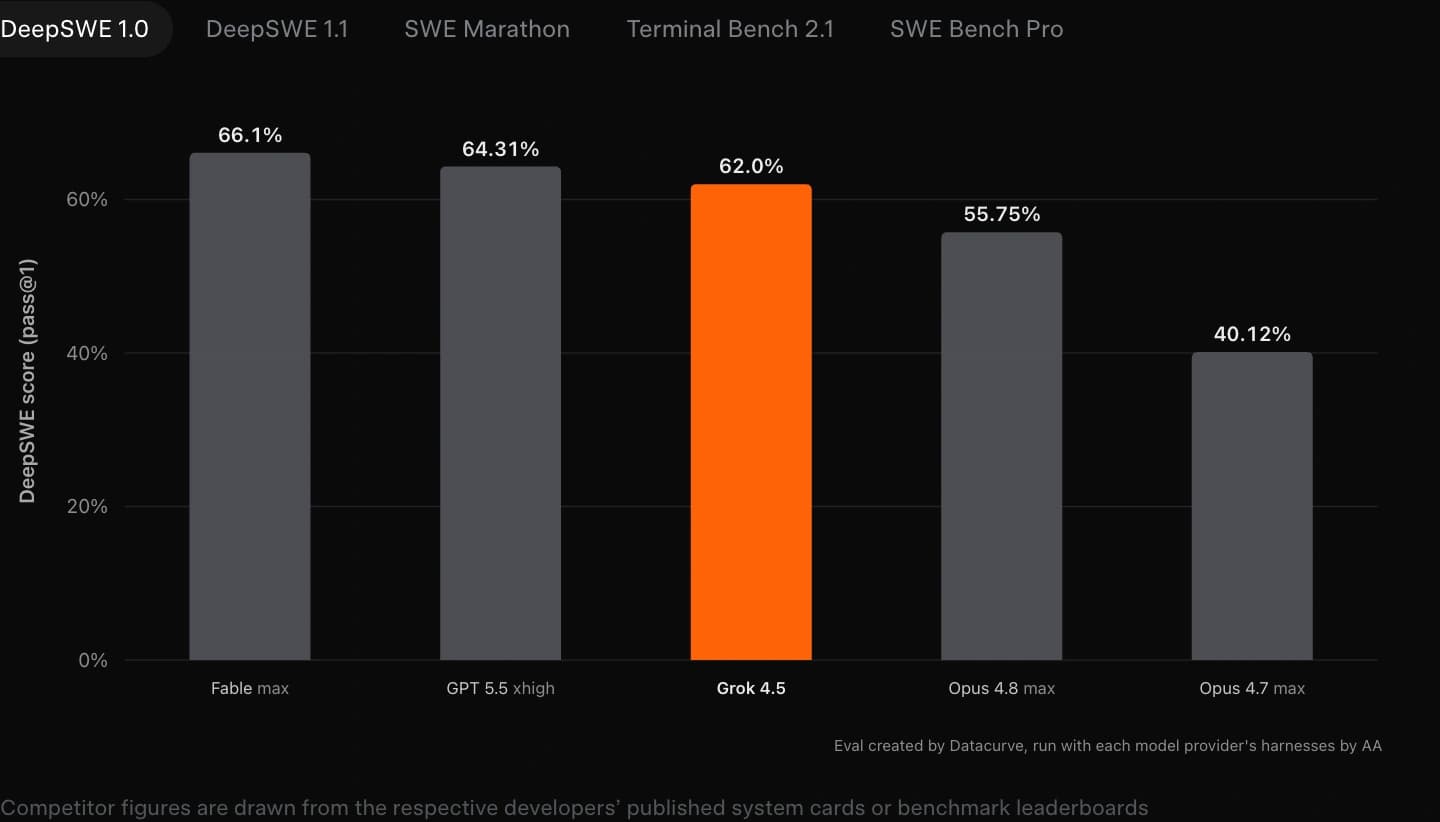
Grok 4.5 currently costs $2 per million input tokens and $6 per million output tokens through the API. xAI also claims that Grok 4.5 uses fewer output tokens than leading competing models on some coding evaluations. That cost claim is promising, but the final price of a real task still depends on retries, tool calls and context size.
Where Claude Code is better
Grok Build is newer and has a smaller ecosystem.
Claude Code has more established community workflows, integrations and troubleshooting material.
xAI is also still developing the product quickly, so parts of the experience may change often.
Verdict
Choose Grok Build if you want a capable terminal agent with native subagents and aggressive model pricing.
It is one of the most interesting new alternatives for developers who find frontier Claude workflows too expensive.
3. OpenCode
Best open-source Claude Code alternative
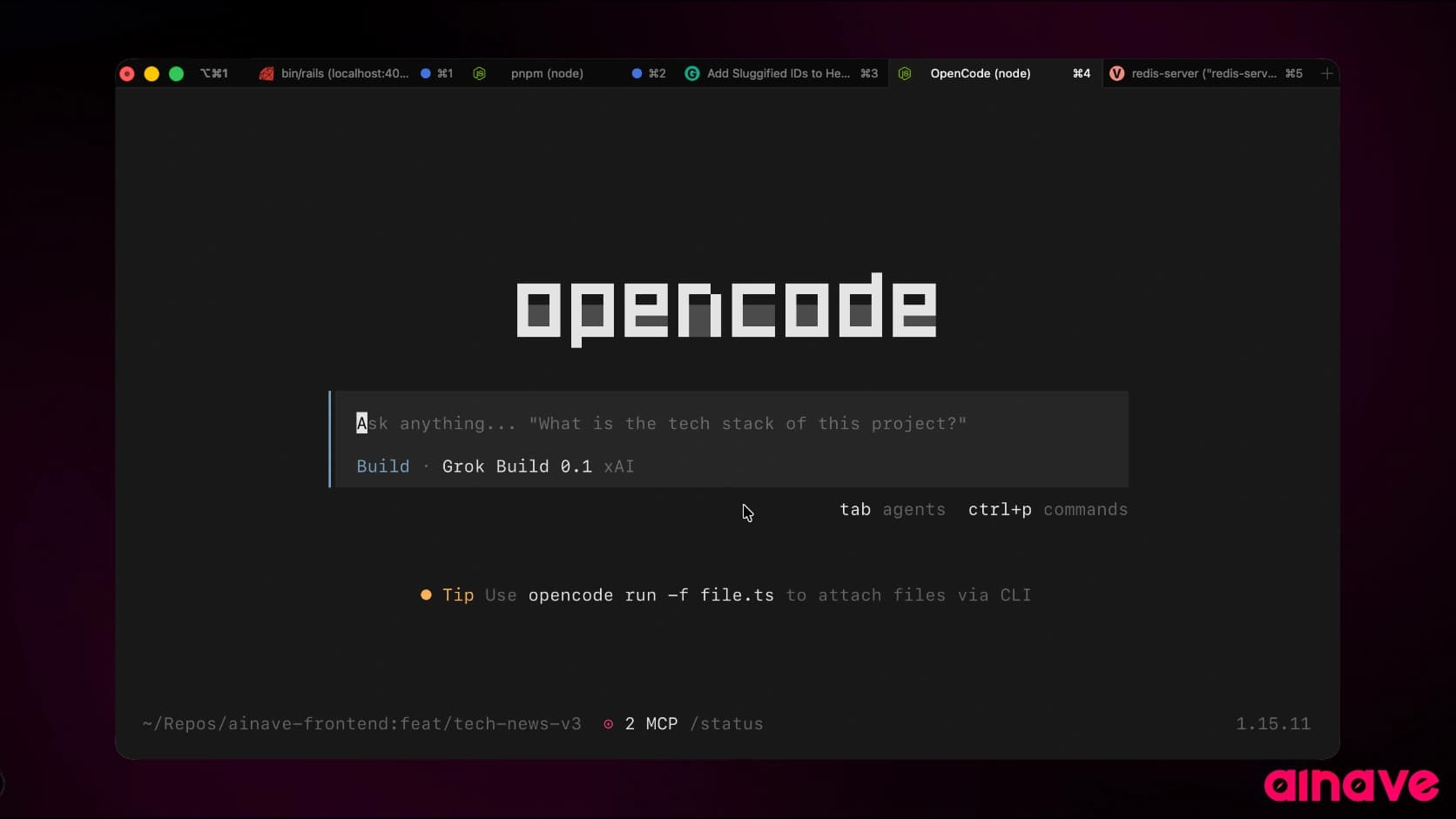
OpenCode is the strongest open-source choice for developers who want a Claude Code-style workflow without model lock-in.
It is available through a terminal interface, desktop application and IDE extension.
OpenCode supports more than 75 model providers and can also connect to local models.
This means you can use:
Claude for difficult reasoning
GPT models for another type of task
Grok for cost-efficient agent work
Qwen or DeepSeek models
Muse Spark through Meta’s API
Local models for private development
OpenCode also supports custom agents with different models, prompts and tool permissions. Its built-in Plan agent can inspect a project without editing files.
Where OpenCode is better than Claude Code
Fully open source
More than 75 model providers
Local model support
Terminal, desktop and IDE interfaces
Custom agents
Separate planning and implementation workflows
More control over model cost
Less vendor lock-in
Where Claude Code is better
OpenCode gives you more freedom, but that creates more setup.
You need to choose a model, provider and configuration. The quality of the experience can vary significantly depending on the model you select.
Claude Code is more consistent because Anthropic controls the agent and the models it is mainly designed around.
Verdict
OpenCode is the best open-source Claude Code alternative for most developers.
It is also the best single harness for experimenting with newer models without changing your whole coding workflow.
4. Cursor
Best Claude Code alternative for developers who prefer an IDE
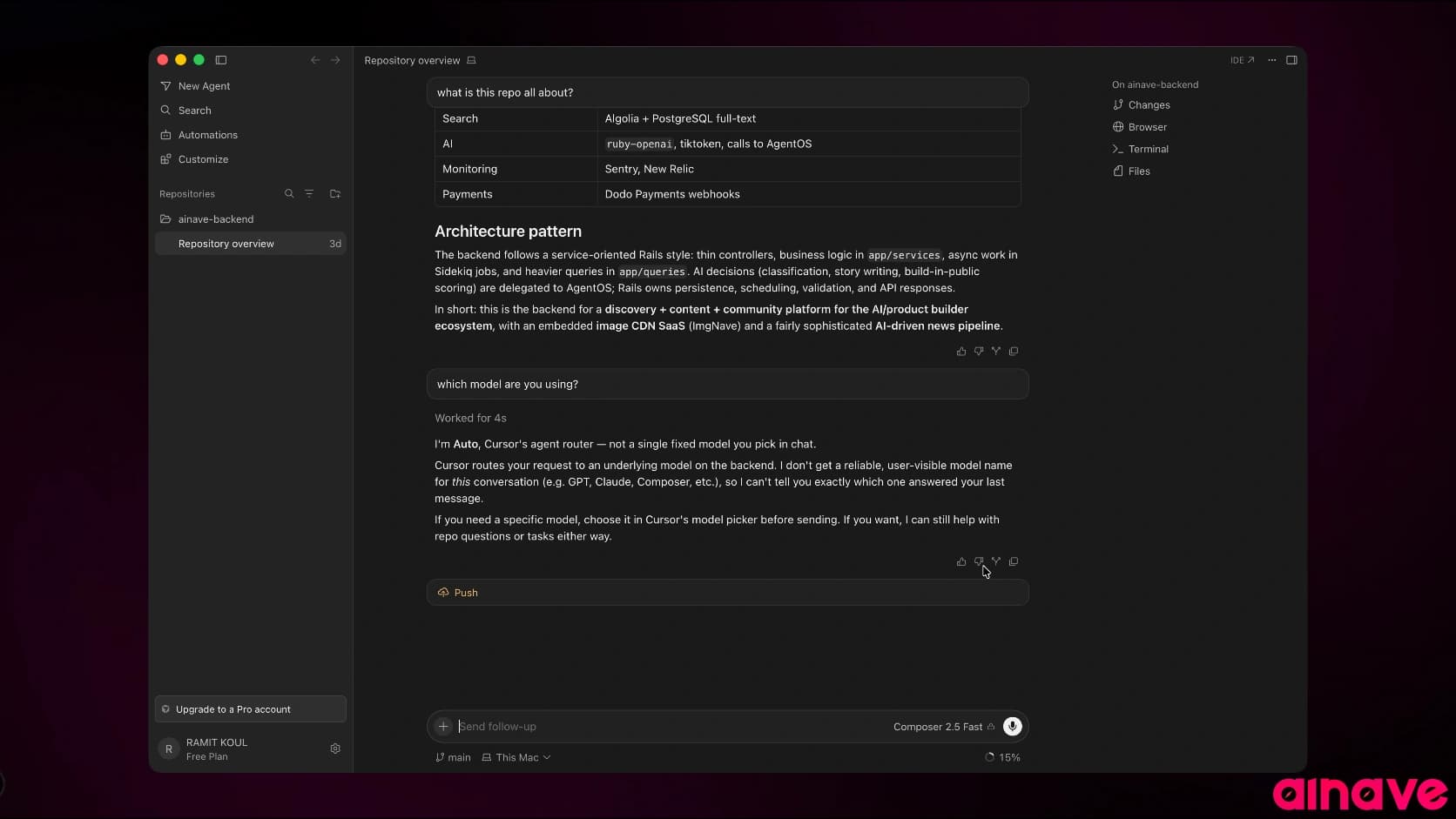
Cursor is the strongest choice if you want coding agents inside a complete visual development environment.
Cursor provides agents through its desktop editor, terminal CLI and cloud workflows. Its CLI can also run headlessly inside scripts and automation.
The main benefit is that manual coding and agentic coding happen inside the same workspace.
You can:
Write code normally
Use autocomplete for small changes
Ask an agent to implement a feature
Review visual diffs
Run commands
Continue the work manually
Send larger tasks to cloud agents
Cursor 3 moved the product further toward a unified workspace for managing agent work.
Where Cursor is better than Claude Code
Complete visual IDE
Strong autocomplete
Visual diff review
Local and cloud agents
Multi-model access
CLI and headless automation
Easy transition for VS Code users
Cursor has a free plan, while its Pro plan starts at $20 per month and includes higher agent limits, frontier models, MCP, skills, hooks and cloud agents.
Where Claude Code is better
Cursor is a broader product.
It tries to handle autocomplete, manual editing, local agents, cloud agents and code review at the same time.
Claude Code feels more focused if you mainly want a coding agent inside the terminal.
Verdict
Choose Cursor if you want agentic coding without leaving a graphical editor.
It is the best option for developers who still write and review a meaningful amount of code manually.
5. GitHub Copilot CLI
Best Claude Code alternative for GitHub-based teams
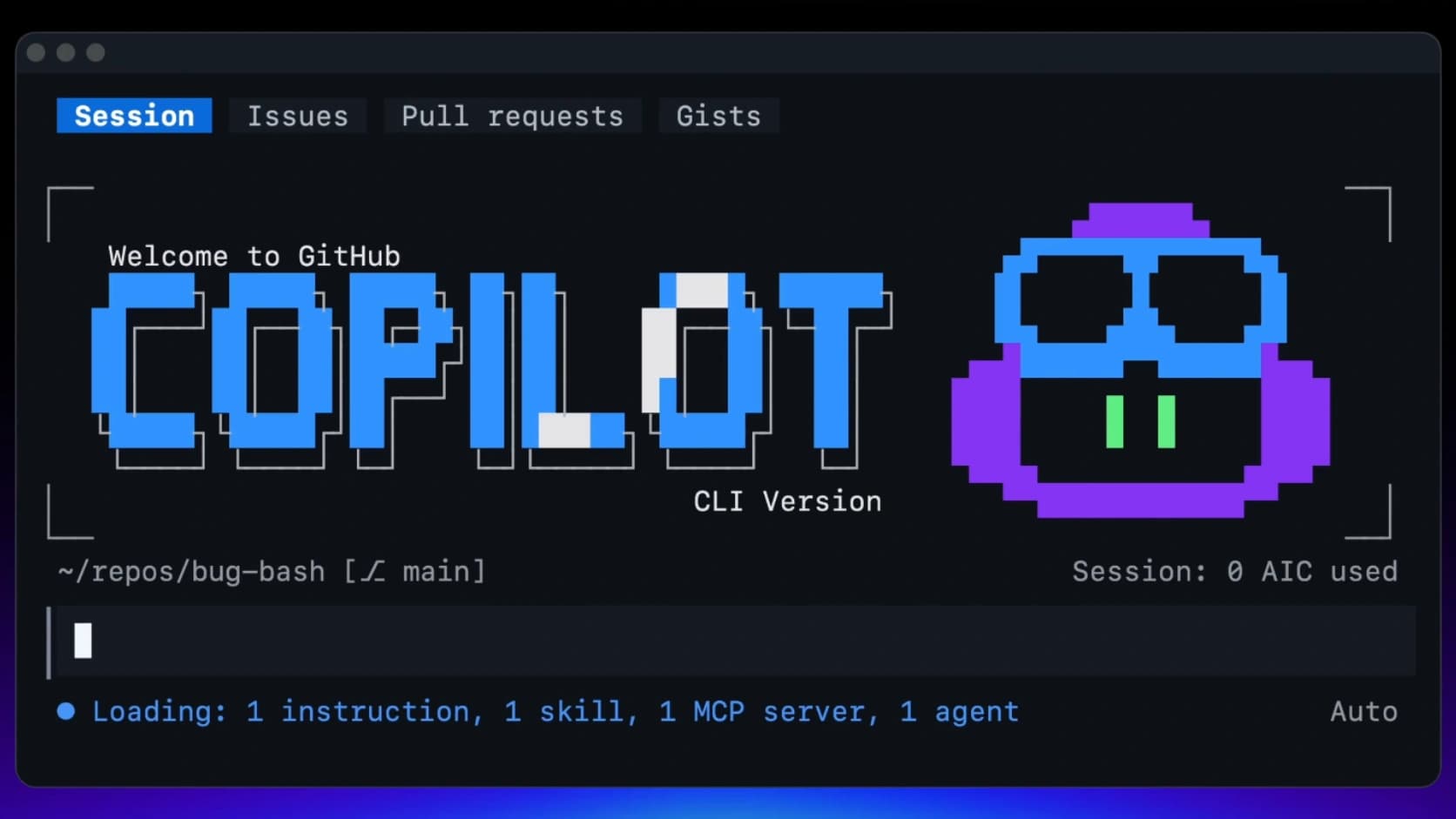
GitHub Copilot CLI brings GitHub’s coding agent into the terminal.
It can create plans, work with repository files, switch between models and use parallel subagents through its /fleet command. It also connects directly to GitHub issues through native MCP support.
That GitHub integration is its biggest advantage.
Copilot can move from issue context to implementation without forcing you to collect every requirement manually.
It also works across GitHub, supported IDEs, the CLI and custom MCP servers.
Where GitHub Copilot CLI is better than Claude Code
Native GitHub issue integration
Pull request workflows
Parallel subagents
Multiple model choices
Easy movement between CLI and IDE
Organization controls
Natural fit for existing Copilot users
Where Claude Code is better
Copilot can feel like a collection of connected features rather than one focused agent.
Its usage and credit system may also require more attention when you use premium models or agent workflows heavily.
Verdict
Choose GitHub Copilot CLI if your development process already revolves around GitHub.
Its native issue, pull request and organization integration is difficult for an independent coding tool to match.
6. Google Antigravity
Best Google-powered Claude Code alternative
Google Antigravity is a broader agent platform rather than only a coding CLI.
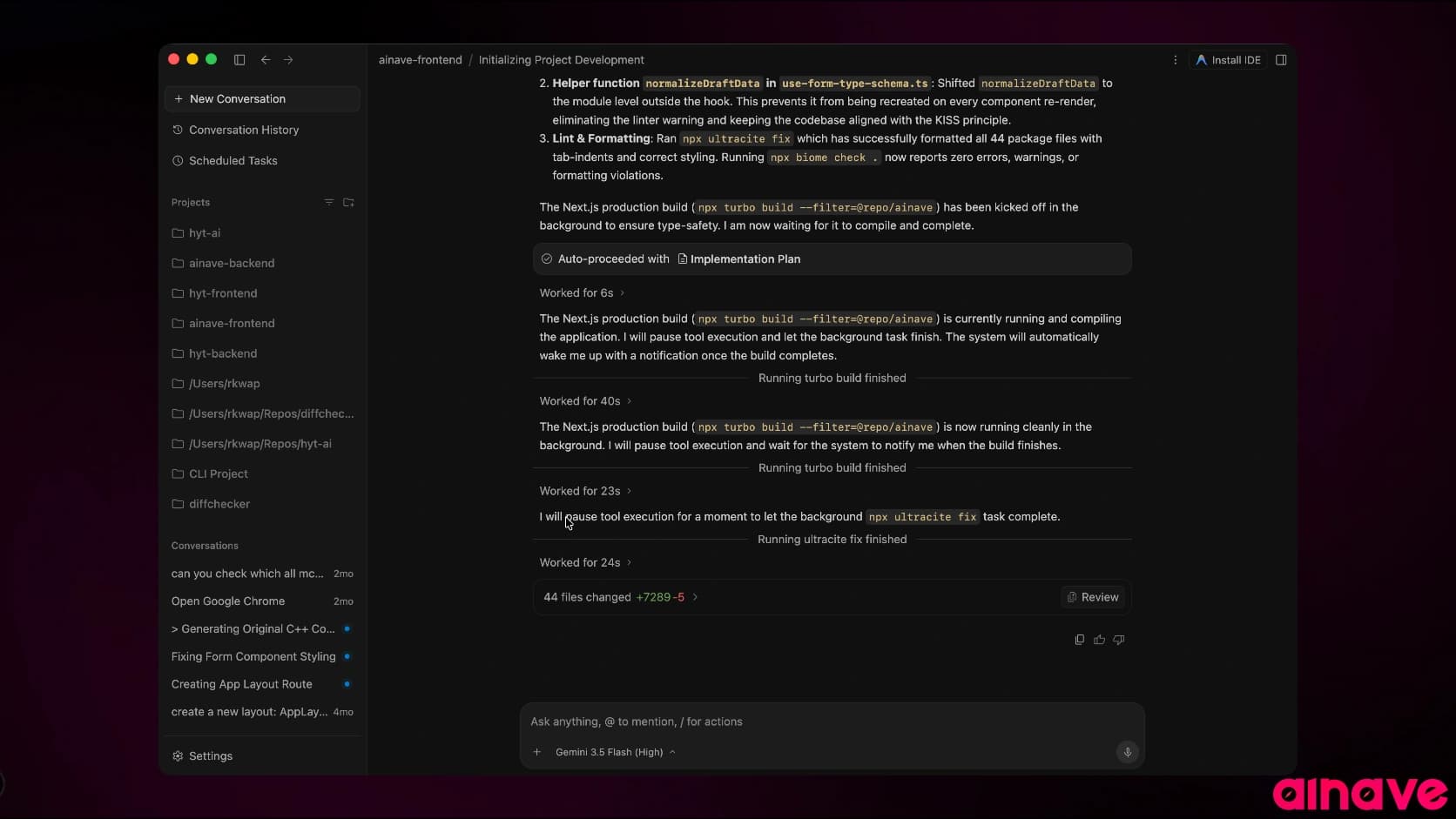
Antigravity 2.0 is designed to orchestrate several autonomous agents working across independent projects. Its IDE agent can operate across the editor, terminal and browser.
Google also provides an Agent SDK built on the same harness, allowing developers to create agents that read files, run commands and edit code.
Antigravity is therefore useful for developers who want both a local coding environment and a central place to manage multiple agents.
Where Antigravity is better than Claude Code
Strong integration with Google’s AI ecosystem
IDE and agent orchestration platform
Parallel agents across projects
Browser and terminal operation
Agent SDK
Good fit for Gemini users
Where Claude Code is better
Antigravity is a broad platform and may be more than you need.
Its ecosystem is also changing quickly, which means workflows and product boundaries may shift more frequently.
Verdict
Choose Google Antigravity if you use Gemini models or want a central platform for managing multiple development agents.
Choose Claude Code if you want a more direct relationship with one coding agent.
7. Kimi Code CLI
Best Chinese terminal coding agent
Kimi Code CLI is one of the strongest newer Claude Code alternatives from China.
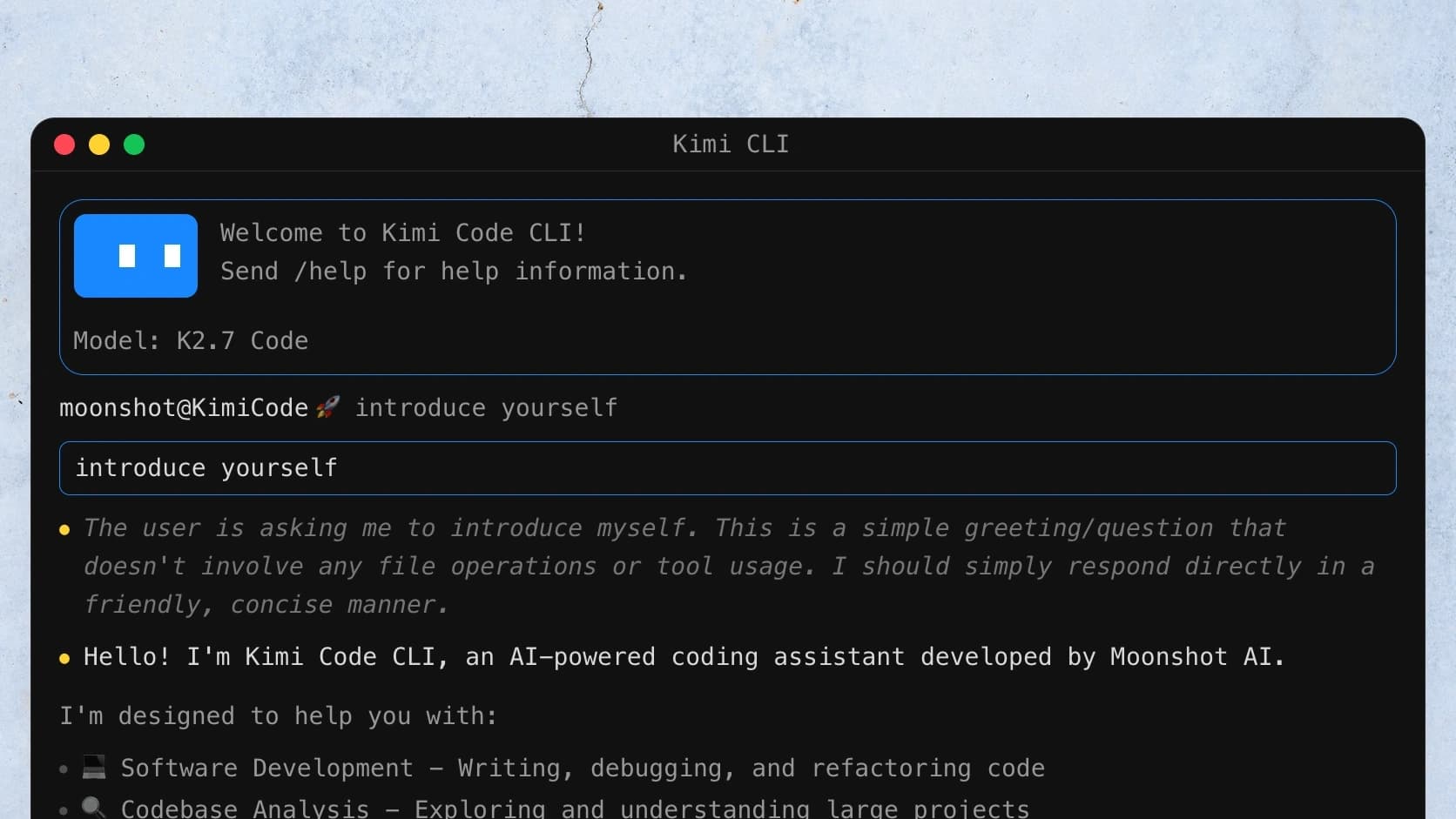
It is developed by Moonshot AI and powered by the K2.7 Code model. The CLI can read and write files, execute shell commands, search code, fetch web content and spawn subagents for parallel work.
Kimi Code is built to fit into both terminal and IDE workflows.
Its main appeal is access to Kimi’s coding models through a complete first-party harness rather than only an API.
Where Kimi Code is better than Claude Code
Strong Kimi coding models
Terminal-first interface
Subagent support
Web research
Shell execution
Large-codebase analysis
Included with Kimi Code plans
Where Claude Code is better
Kimi Code has a smaller global ecosystem.
Its account system, pricing and documentation may also be less familiar to developers outside its main markets.
Verdict
Choose Kimi Code CLI if you want a serious terminal agent powered by Kimi models.
It is one of the most credible global alternatives to Claude Code, not merely a regional model experiment.
8. Qwen Code
Best open-source Chinese Claude Code alternative
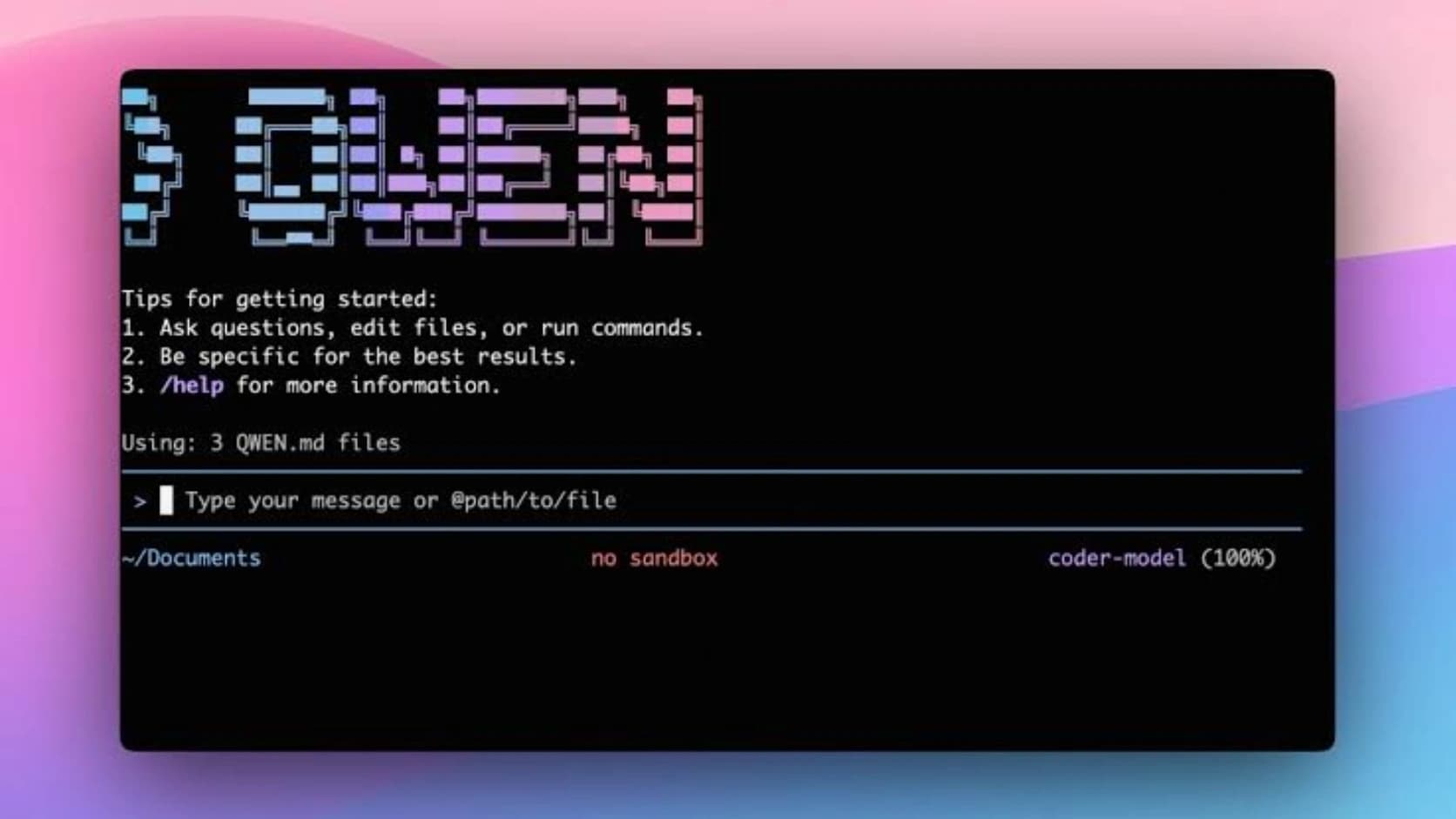
Qwen Code is an open-source terminal coding agent optimized for Alibaba’s Qwen model family.
It is designed to understand large codebases and automate software development tasks directly from the terminal.
Qwen Code matters because it turns Qwen’s coding models into a complete working environment.
You do not need to manually build an agent loop around the model.
Where Qwen Code is better than Claude Code
Open source
Designed for Qwen models
Terminal-first workflow
Good fit for open models
Useful for developers exploring the Qwen ecosystem
Where Claude Code is better
Claude Code offers a more polished and consistent commercial product.
Qwen Code may require more configuration, especially when connecting different model providers or custom endpoints.
Verdict
Choose Qwen Code if you want an open-source coding agent designed around Qwen models.
It is one of the strongest options for developers who want to move beyond US-based model providers.
9. ZCode
Best Claude Code alternative for GLM models
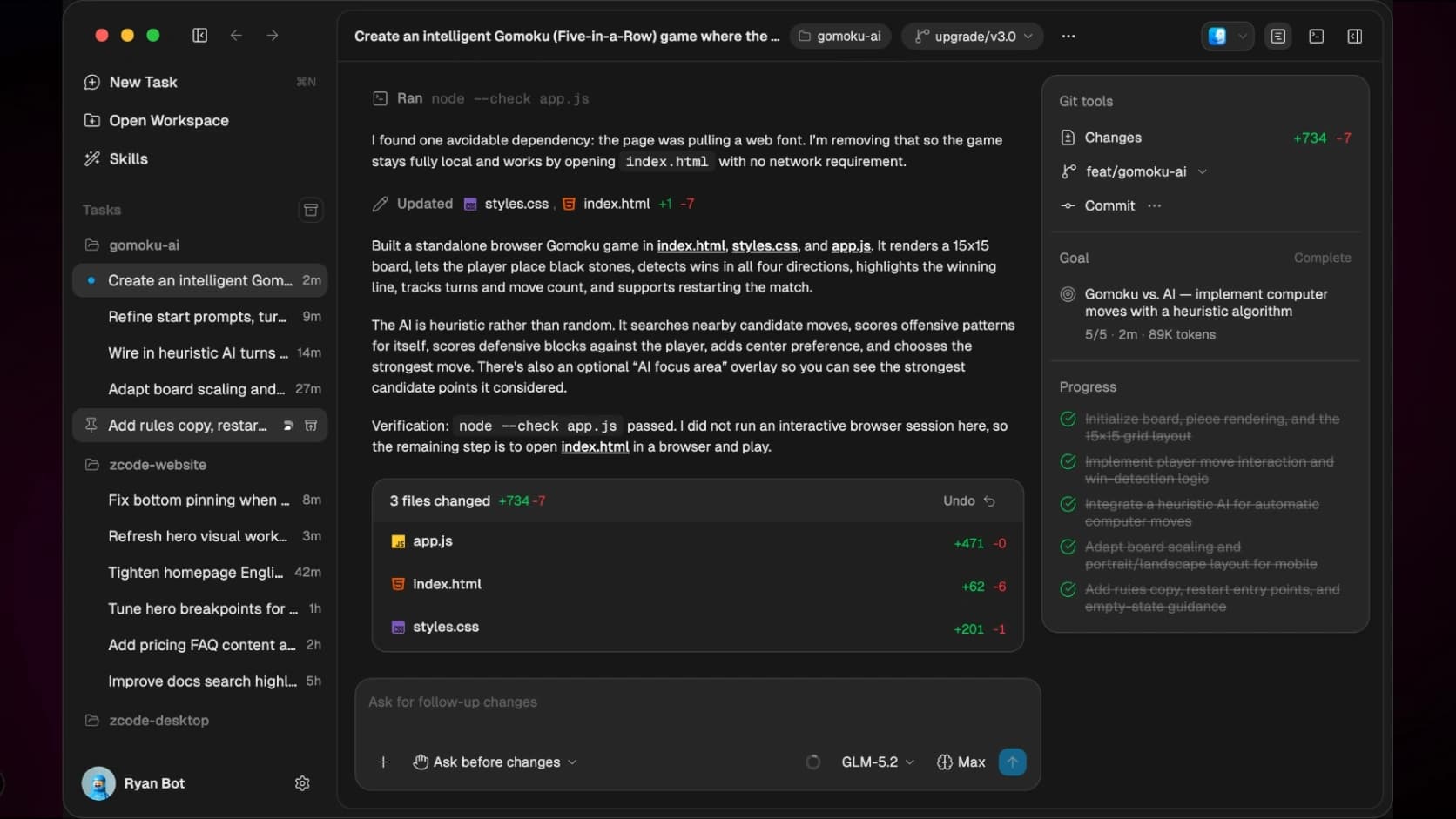
ZCode is an agentic development environment built around Z.ai’s GLM models.
Its agent is optimized for GLM-5.2 and focuses on complex project understanding, long-task planning, context retention and continuous code changes.
ZCode combines workspace state, file references, execution mode and Git branch context during a task.
This makes it better suited to longer development work than simply calling a GLM model through a chat interface.
Where ZCode is better than Claude Code
Deep GLM integration
Agent-first desktop environment
Long-task support
Git-aware execution
Strong context retention
Built around Z.ai coding plans
Where Claude Code is better
ZCode is more closely tied to the GLM ecosystem.
It is also a complete development environment rather than a lightweight terminal agent, which may not suit developers who already have a preferred editor.
Verdict
Choose ZCode if you want to use GLM models through a harness designed specifically for them.
ZCode belongs on this list. GLM alone does not.
10. Qoder CLI
Best Claude Code alternative for automation workflows
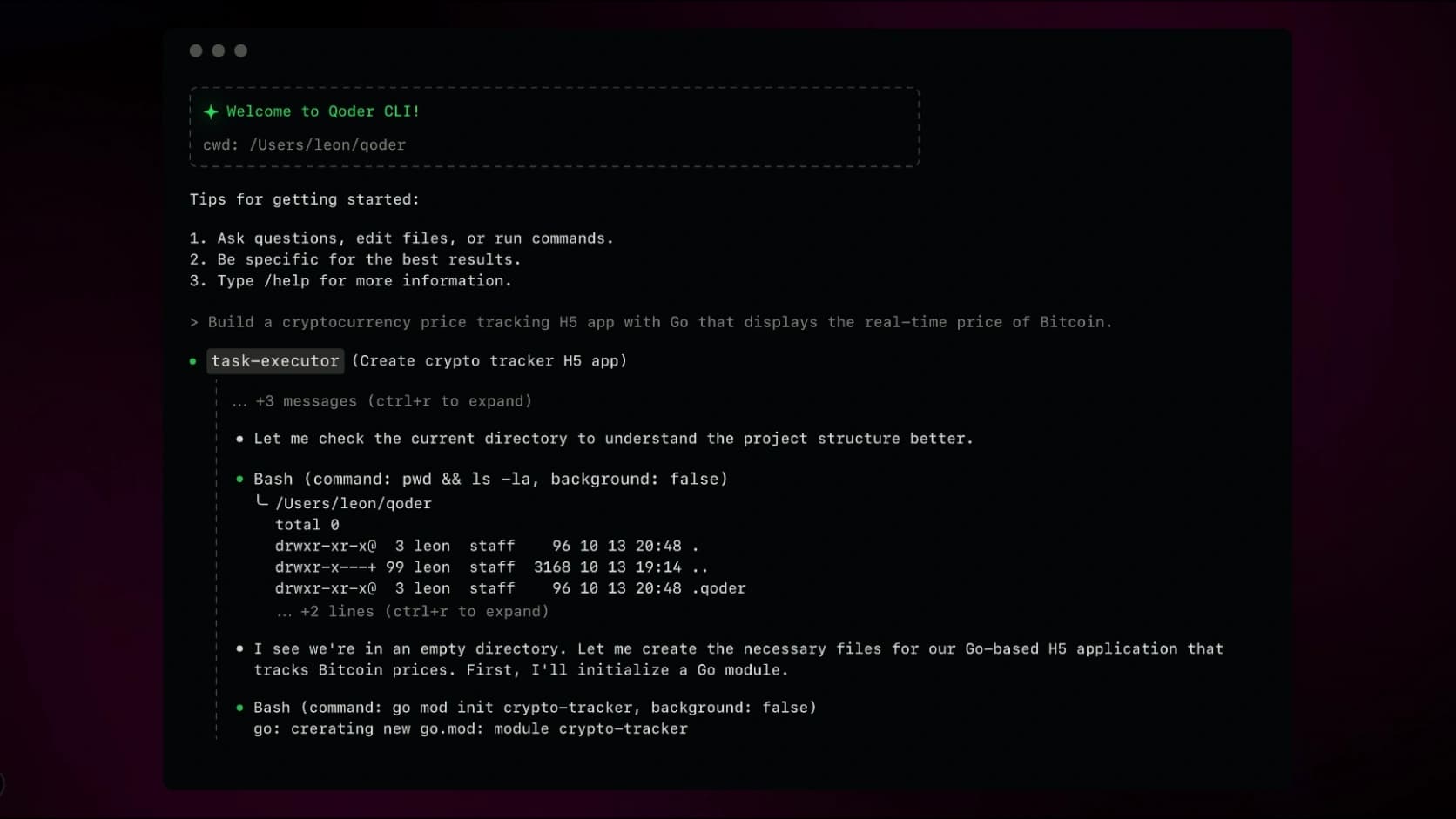
Qoder CLI is a terminal-native coding agent built for software development, code review and automation.
It can work across an existing codebase, build features, debug issues and invoke agents from scripts and pipelines. Qoder also provides Python and TypeScript SDKs for building custom coding workflows.
Qoder places more emphasis on automation than many interactive coding agents.
Useful cases include:
Automated code review
Test generation
Issue fixing
Refactoring
Build troubleshooting
CI/CD workflows
Custom engineering agents
Where Qoder CLI is better than Claude Code
Strong automation focus
CI/CD integration
Agent SDK
Scriptable execution
Code review workflows
Lightweight terminal use
Where Claude Code is better
Claude Code has a larger ecosystem and a more established interactive workflow.
Qoder also publishes several productivity claims on its product page. Those should be treated as vendor claims until tested against your own development process.
Verdict
Choose Qoder CLI if your main use case is repeated engineering automation rather than only interactive pair programming.
11. Factory Droid
Best Claude Code alternative for enterprise agent workflows
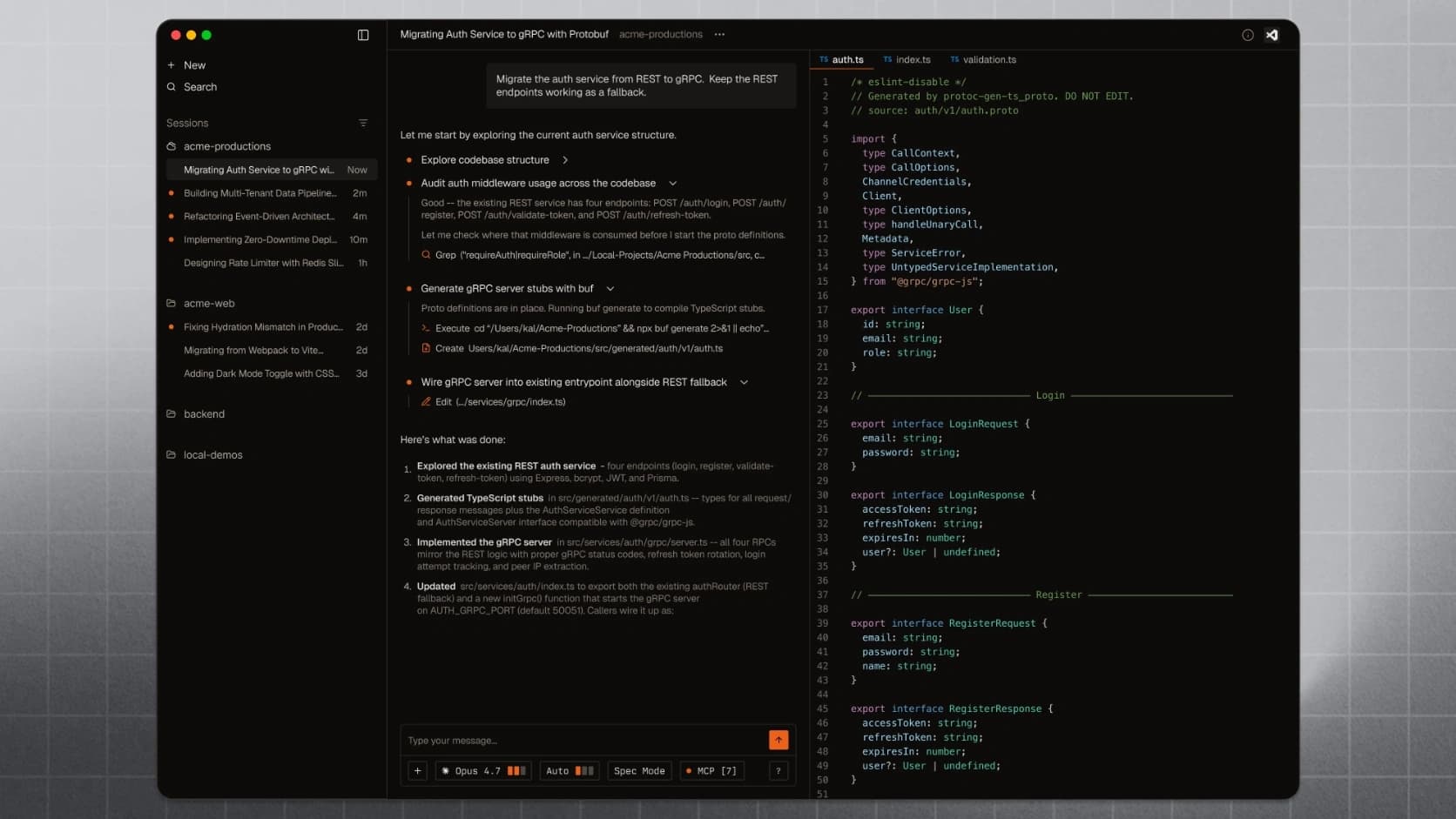
Factory Droid is a software-development agent available through terminal, IDE, desktop, web and other connected surfaces.
Its terminal UI supports persistent sessions, long-running missions, skills, MCP, hooks, plugins and model switching.
Factory is built more around delegation than autocomplete.
You can hand off a complete ticket, refactor or investigation, let the Droid continue working and step back in when review or clarification is needed.
Sessions and skills can also move between surfaces without losing their context.
Where Factory Droid is better than Claude Code
Persistent long-running missions
Multiple product surfaces
Skills, plugins and hooks
Enterprise governance
Delegation-focused workflow
Cross-surface session continuity
Where Claude Code is better
Factory can feel heavy for a solo developer who only wants a terminal coding agent.
Many of its strongest benefits become more valuable at the team and enterprise level.
Verdict
Choose Factory Droid if you need a coding agent that can grow into a managed engineering platform.
For smaller local tasks, Claude Code, Grok Build or OpenCode will usually be simpler.
12. Amp
Best opinionated multi-model Claude Code alternative
Amp is a coding agent built around a curated selection of frontier models.
It works through the terminal and editor, but does not expose model freedom in the same way as OpenCode or Kilo Code. Instead, Amp combines models based on what its team believes works best for different tasks.
This makes Amp deliberately opinionated.
OpenCode gives you more choices.
Amp tries to make those choices for you.
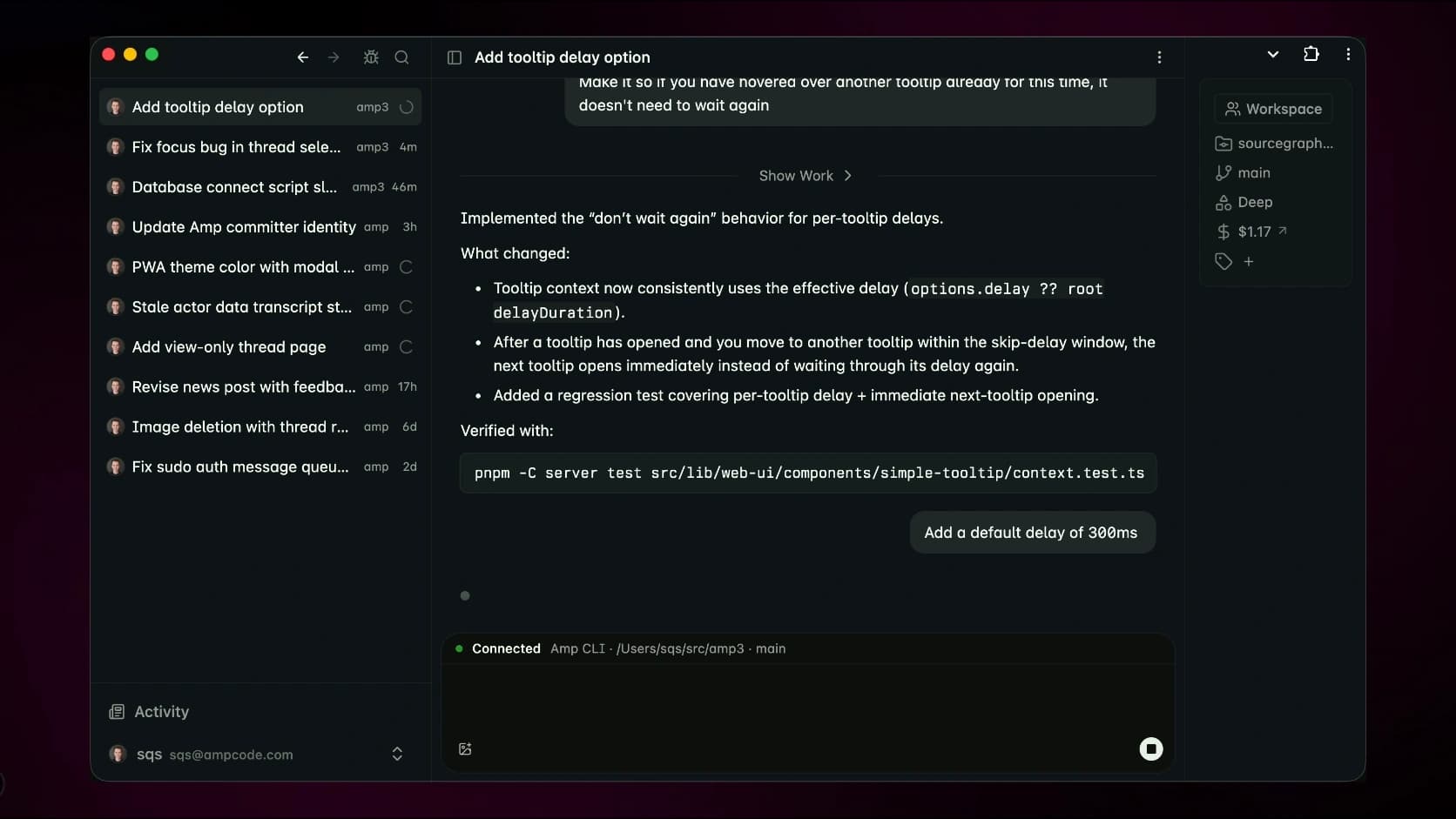
It also supports remote agents, plugins and shared threads.
Where Amp is better than Claude Code
Curated multi-model workflow
Terminal and editor access
Remote agents
Strong codebase search
Plugins and custom tools
Free and pay-as-you-go access
Amp states that individual paid usage is passed through without a model markup.
Where Claude Code is better
Amp changes quickly and intentionally removes workflows it no longer believes in.
That makes the product focused, but less predictable for developers who want a stable setup.
It also gives users less direct model control than OpenCode or Kilo Code.
Verdict
Choose Amp if you want a focused agent that handles most model-selection decisions for you.
Avoid it if you want to choose the exact provider and model for every task.
13. Cline
Best Claude Code alternative for controlled execution
Cline is an open-source coding agent available through IDEs, the terminal and an SDK.
It can read and write files, run commands and connect to external systems through MCP.
Its main strength is control.
Cline uses Plan and Act modes to separate discussion from execution. You can review the approach before allowing it to modify files or run commands.
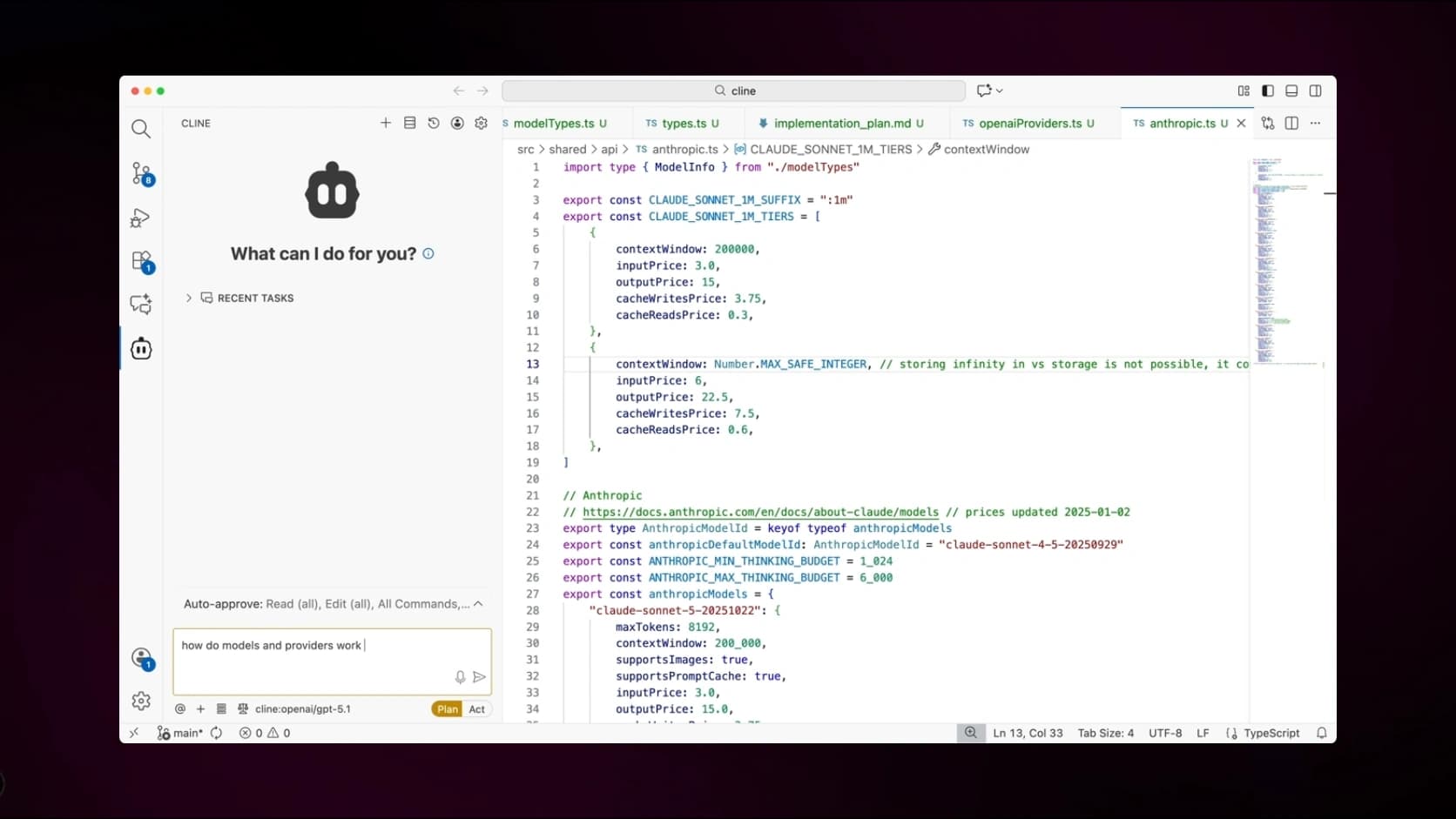
Cline CLI also includes a Kanban interface for running several agents in separate Git worktrees.
Where Cline is better than Claude Code
Open source
Explicit permission controls
Plan and Act workflow
Broad model-provider support
Local model support
CLI, IDE and SDK
Parallel worktrees
Bring your own API key
Cline is free to install, while model usage is billed separately or covered through supported subscriptions.
Where Claude Code is better
Cline can interrupt you more often because it asks for approvals.
That is useful when the task is risky, but slower when you trust the agent and want it to complete a long task independently.
Verdict
Choose Cline if you want an open-source coding agent that keeps you in control of every important action.
14. Aider
Best lightweight Git-first Claude Code alternative
Aider is one of the oldest and most focused terminal coding assistants in this list.
It works directly inside a Git repository, edits files and automatically commits its changes so they remain easy to inspect and undo.
Aider also builds a concise repository map containing important classes, functions, types and call signatures. This helps the model understand a larger project without loading every file into the active context.
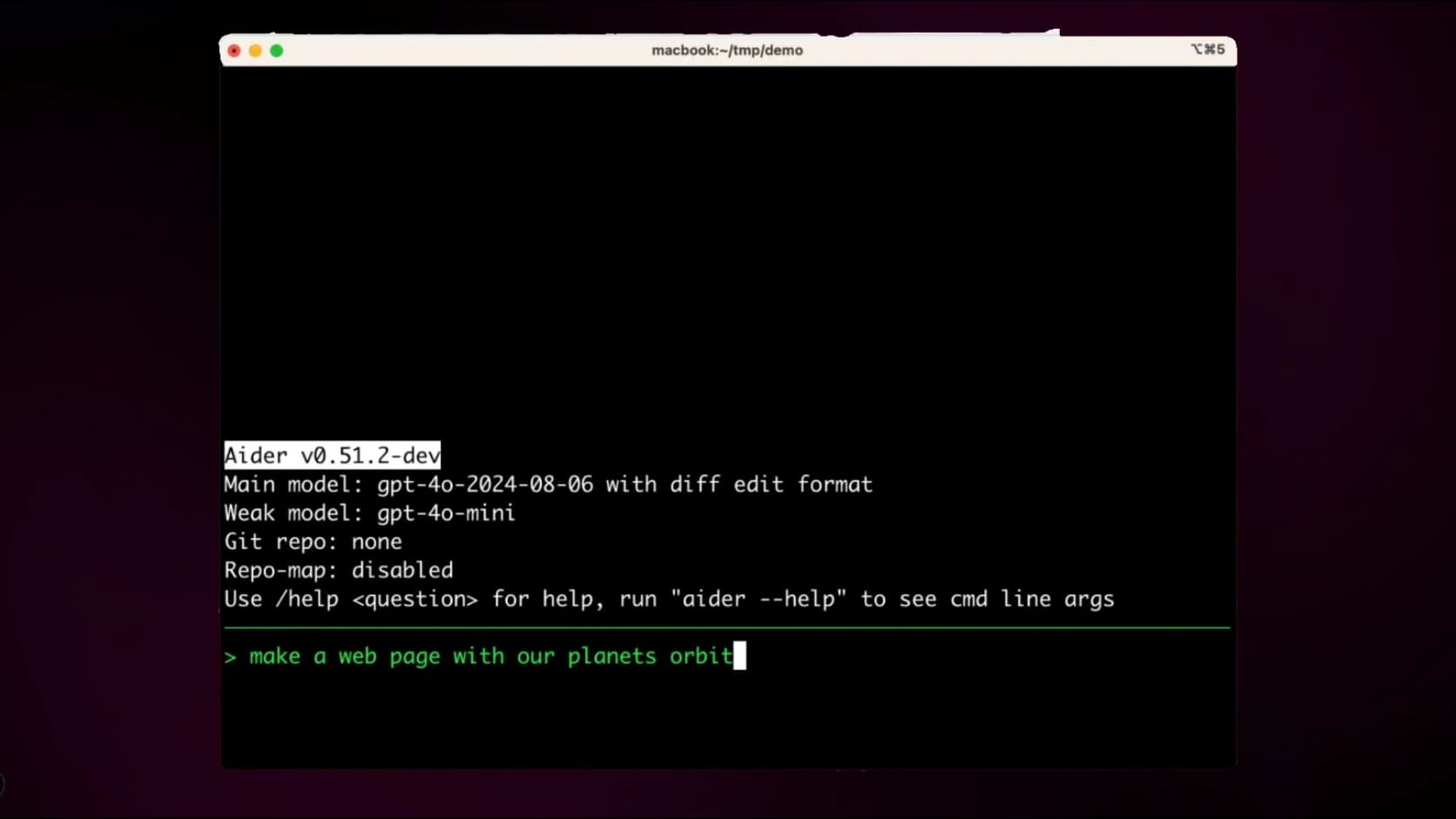
It supports hundreds of models through LiteLLM, including local model setups.
Where Aider is better than Claude Code
Simple terminal workflow
Strong Git integration
Automatic commits
Easy rollback
Repository mapping
Broad model support
Local model support
Open source
Where Claude Code is better
Aider behaves more like a powerful pair programmer than a complete autonomous agent platform.
It expects more involvement from the developer and provides fewer cloud and orchestration features.
Verdict
Choose Aider if you want a transparent coding assistant that fits naturally into an existing Git workflow.
It remains one of the best options for developers who do not want an agent controlling the entire development process.
15. Kilo Code
Best Claude Code alternative for maximum model choice
Kilo Code is an open-source coding agent available through VS Code, JetBrains, CLI and cloud workflows.
It supports more than 500 models, bring-your-own-key setups and local models.
Kilo also includes specialized modes for different phases of development, including planning, coding, debugging and orchestration.
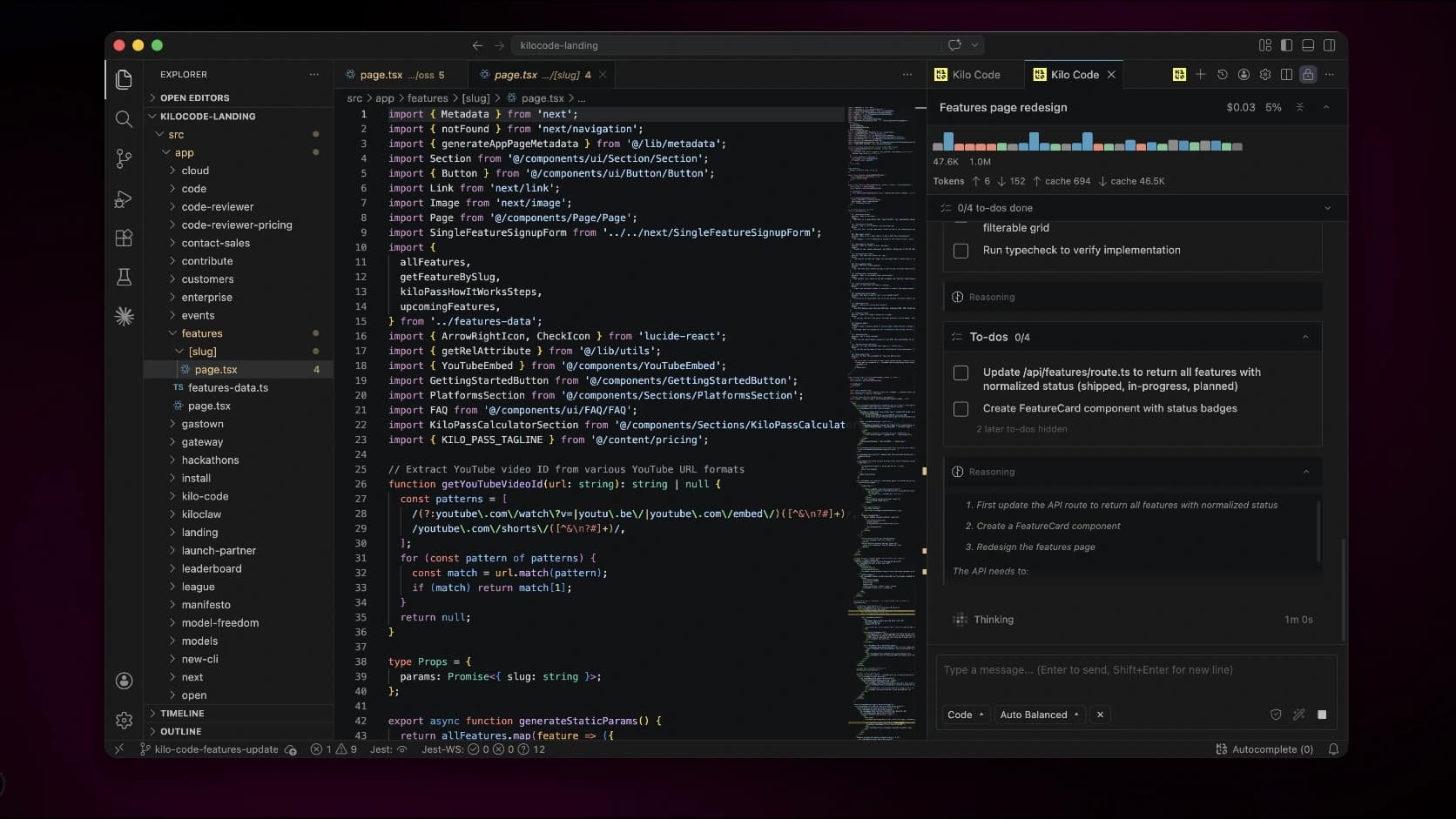
Its main advantage is provider freedom.
You can move between frontier models, open models and local models without changing your entire agent environment.
Where Kilo Code is better than Claude Code
Open source
More than 500 models
Local model support
Bring your own API keys
IDE, CLI and cloud access
Parallel worktrees
Specialized agent modes
No required model lock-in
Kilo Code is free and open source for individual developers, with model inference billed separately.
Where Claude Code is better
Kilo gives you a large number of choices.
That becomes a disadvantage when you want to install a tool and start working without deciding between models, providers and modes.
Claude Code is more opinionated and easier to use with one consistent setup.
Verdict
Choose Kilo Code if model freedom matters more than simplicity.
It is one of the strongest open-source options for developers working across IDE, terminal and cloud environments.
Strong coding models that still need a harness
Several coding models deserve attention, but they should not be ranked as complete Claude Code alternatives unless they come with a usable coding-agent environment.
Muse Spark 1.1
Muse Spark 1.1 is Meta’s new multimodal reasoning model for agentic tasks, coding, tool use and computer interaction.
Meta says the model supports planning, parallel subagents and long-context workflows. The company also demonstrated it debugging and building software inside OpenCode.
However, Meta has introduced Muse Spark through the Meta Model API rather than as its own Claude Code-style terminal product.
The practical setup is:
Muse Spark 1.1 as the model + OpenCode, Cline or another compatible harness as the agent.
Muse Spark belongs in the conversation, but it should not be listed as a standalone alternative unless Meta releases a dedicated coding harness.
DeepSeek
DeepSeek is also primarily a model provider.
You can use DeepSeek models through tools such as:
OpenCode
Cline
Aider
Kilo Code
Other OpenAI-compatible coding agents
DeepSeek can reduce model costs, but the quality of the development workflow still depends on the harness around it.
Why the model-versus-harness distinction matters
A benchmark may show how well a model solves a controlled coding problem.
It does not tell you:
Whether the agent finds the correct files
Whether it runs the right tests
Whether it handles failed commands properly
Whether it manages context efficiently
Whether it creates safe and reviewable changes
Whether it keeps working after the first error
Whether it produces a clean Git diff
For real software development, the model and the harness need to work well together.
Which Claude Code alternative is right for you?
Frequently asked questions
What is the best Claude Code alternative in 2026?
ChatGPT Codex is the best overall Claude Code alternative for most developers.
It works through the terminal, IDE, desktop and cloud, and supports both interactive coding and delegated tasks.
Grok Build is the more interesting option when model cost and native subagents are major priorities.
What is the best open-source Claude Code alternative?
OpenCode is the best open-source Claude Code alternative.
It supports more than 75 model providers, local models, custom agents, a terminal interface, desktop app and IDE integration.
Is Grok Build better than Claude Code?
Grok Build may be better if you want lower API pricing, native subagents, Git worktrees and headless execution.
Claude Code has a more established ecosystem and a longer history of production use.
The right choice depends on whether you prioritize maturity or cost-efficient experimentation.
Is ChatGPT Codex better than Claude Code?
ChatGPT Codex is stronger for cloud delegation, parallel work and automations.
Claude Code may feel better during long interactive sessions where you continuously guide one agent.
Neither tool is better for every task.
What is the cheapest Claude Code alternative?
Open-source tools such as OpenCode, Qwen Code, Cline, Aider and Kilo Code do not require a software subscription.
You may still need to pay for the model you connect.
Using cheaper hosted models or local models can reduce the total cost significantly.
Show 5 more questions
Which Claude Code alternatives support local models?
OpenCode, Cline, Aider and Kilo Code support local models.
Local models provide more control and privacy, but smaller models may struggle with long and complex software tasks.
Is Muse Spark 1.1 a Claude Code alternative?
Not by itself.
Muse Spark 1.1 is a coding and agentic model, but Meta currently provides it through its model API rather than a dedicated Claude Code-style CLI.
Meta has demonstrated the model working inside OpenCode.
Is DeepSeek a Claude Code alternative?
DeepSeek is primarily a model provider.
You need to use DeepSeek through a harness such as OpenCode, Cline, Aider or Kilo Code to get a Claude Code-style workflow.
What are the best Chinese Claude Code alternatives?
The strongest current Chinese alternatives are:
Kimi Code CLI
Qwen Code
ZCode
Qoder CLI
Each provides an actual agent harness rather than only access to a coding model.
Is Claude Code still worth using in 2026?
Yes.
Claude Code remains one of the strongest and most polished agentic coding tools. It reads codebases, edits files, executes commands and works across terminal, IDE, desktop and browser workflows.
The alternatives become more attractive when you need lower costs, open-source software, local models, a visual IDE, GitHub integration or more model freedom.
Final thoughts
The Claude Code alternatives market is much broader than it was even a few months ago.
ChatGPT Codex is the strongest direct competitor.
Grok Build is the most interesting recent launch because it combines a complete terminal harness, native subagents and competitive model pricing.
OpenCode is the best open-source replacement, while Cursor is the strongest option for developers who prefer working inside a visual IDE.
GitHub Copilot CLI and Google Antigravity make the most sense when you already use their wider ecosystems.
Kimi Code, Qwen Code, ZCode and Qoder show that Chinese AI companies are no longer competing only at the model level. They are now building complete development agents around those models.
Factory Droid and Amp provide more managed or opinionated workflows, while Cline, Aider and Kilo Code give developers more control.
The most important lesson is to separate the model from the harness.
A benchmark tells you something about the model.
It does not tell you whether the agent will choose the right files, run the correct tests, manage context properly or produce a change you can safely merge.
The best Claude Code alternative is not necessarily the tool with the highest benchmark score.
It is the tool that fits naturally into your workflow and helps you ship reliable code without creating more review work than it saves.